Every image matches
The same garment, fabric, design and model across front, back, side and close-up, and across the whole collection.

Fivo vs Photoroom
Photoroom is the editor many sellers already open to cut out a product, swap a backdrop or resize a folder of images, and it has an AI fashion model tool too. Fivo does one job for clothing: it takes a photo of the garment and returns it worn, from every side. Different tools, built for different problems.
From about ₹20 an image · price shown before you generate · see pricing
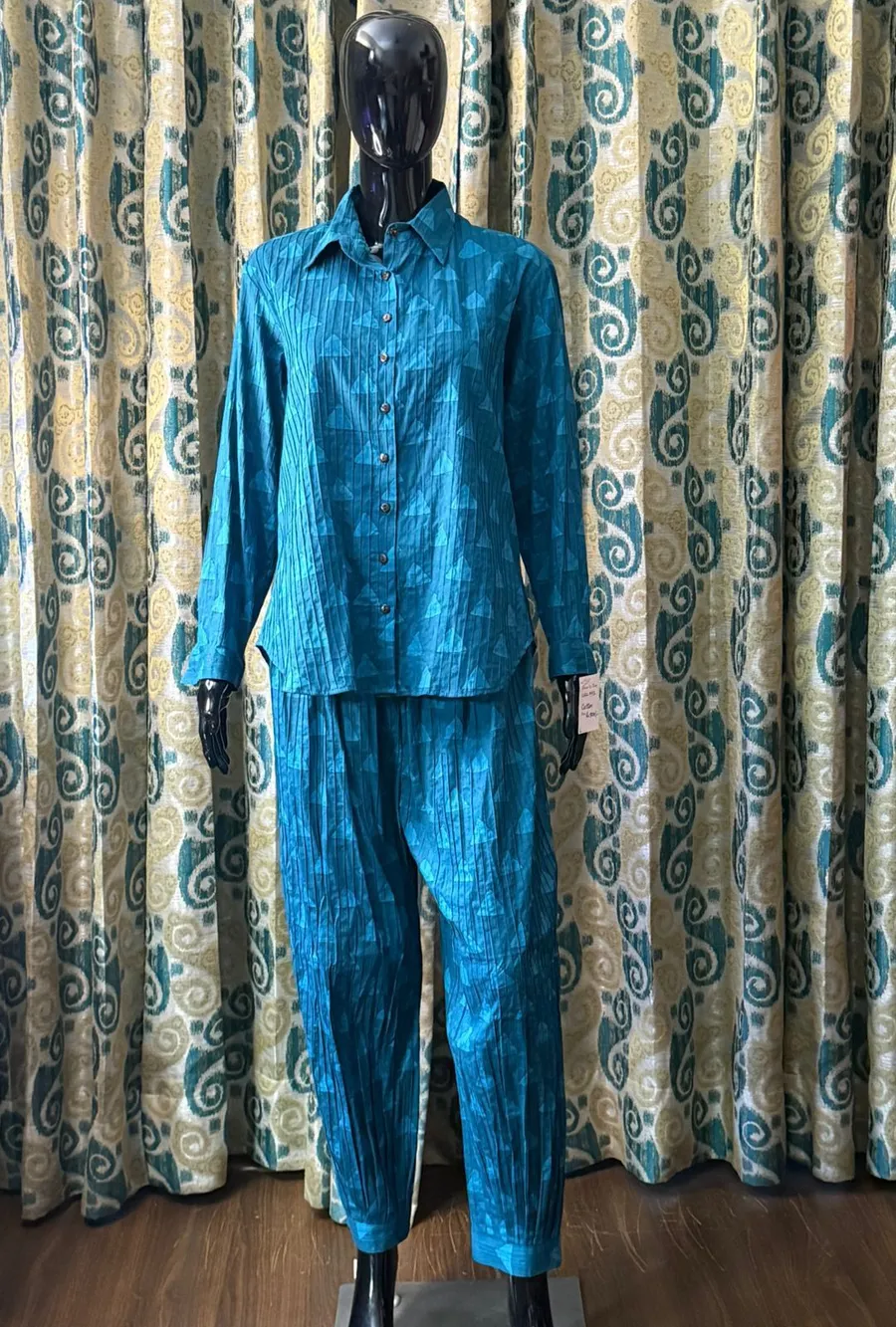 Brand's mannequin
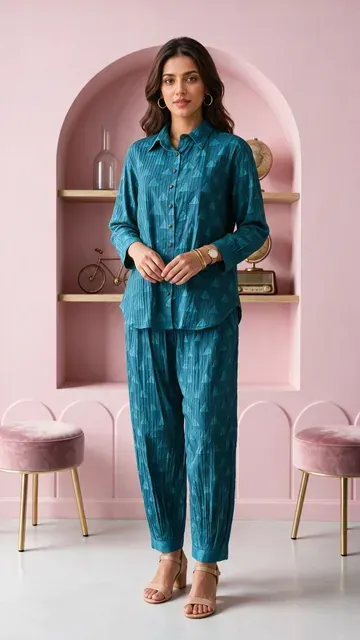 Fivo
Photoroom is an AI photo editor for any product: background removal, backdrops, shadows and batch edits, plus a fashion-model feature. Fivo is built only for clothing. It reads a garment from the brand's photo and returns it on a model as matching front, back, side and close-up images and videos, in one look across a collection.
Why brands choose Fivo
Customise every shoot to your brand. Fivo keeps your garment, your models, your styling and your look the same in every image you put out.
The same garment, fabric, design and model across front, back, side and close-up, and across the whole collection.
Your photo is the reference: colour, print, embroidery and cut are carried into every image, not reinvented.
Choose the pose for each shot, from straight catalogue fronts to walking, seated and detail shots.
Pick models by the look and age group your customers relate to: women, men, kids, Indian or international.
Choose each styling article per garment: footwear, jewellery, bags, watches, belts, and the top or bottom it's paired with. Or upload your own.
Quick verdict
Key difference: Photoroom improves the photo you already have. Fivo makes the photo you don't have yet, the garment worn.
Feature by feature
Photoroom's column is from its own site, checked November 2026.
| Photoroom | Fivo | |
|---|---|---|
| Built for | Editing product images of every kind, from fashion to food, home and beauty, plus social posts and ads | Clothing brands and sellers who need their garments on models |
| Indian ethnic wear | Not stated on photoroom.com, checked Nov 2026 | Sarees, kurtas and kurta sets, lehengas and suits, with the dupatta on the model |
| What you start from | A flat lay or a shot of someone wearing the item; its menu also offers to dress a mannequin | A hanger, flat-lay, mannequin or worn photo, even one taken on a phone |
| Colour and design fidelity | Says its virtual models show fit, drape and fabric texture, and a Product Fixer keeps labels and colour | The brand's photo is the reference for colour, print, embroidery and border in every frame, with a colour-match step in Fivo's pipeline |
| Matching views | Not stated on photoroom.com, checked Nov 2026 | Front, back, side and close-up, all made from one reading of the garment |
| Models for your target customer | Pick a model for each product, or save a custom model in Brand Kit | Women, men, girls, boys and an older age group, Indian and international, picked by the brand for who it sells to |
| Consistency across a collection | Custom models are kept in Brand Kit to reuse | Model and look chosen once in Fivo Studio for every garment in the upload; each keeps its own fabric and design across views |
| Pose control | Model, pose and background chosen per product | The pose for each shot picked from Fivo's pose library, from catalogue fronts to walking, seated and detail shots |
| Backgrounds | Its core strength: cut-outs, AI backgrounds and instant shadows | Studio backdrops and lifestyle places as part of the look; not a cut-out tool |
| Styling per garment and brand | Several products from a collection can be shown as one outfit on a virtual model | Each garment's footwear, jewellery, bag or watch and its paired piece set by the brand, from Fivo's styling catalogue or your own uploads; co-ords shot as one outfit |
| Whole-collection workflow | Batch tools that edit hundreds of images at once | Fivo Studio on the web: upload the drop, apply one look to all of it |
| One garment from a phone | Apps for iPhone, iPad and Android, plus web and Shopify | The Fivo Android app, one garment at a time; no iPhone app |
| Video from the same photo | Turns product photos into videos, and has a video ad maker | On-model videos from the same garment photo, matching its images |
| Channel formats | Portrait, landscape or square for fashion models, and batch resizing | 2:3 for marketplaces, 3:4 for websites, 9:16 for reels, 1:1 for WhatsApp |
| How you work | An editor: tools you apply to one photo or a folder of them | Pick the garment, model, pose and backdrop on screen; no prompts |
| Turnaround | A few seconds for a model image, by its own description | Minutes in the app; a Studio collection usually within 24 hours |
| Done-for-you production | Not stated on photoroom.com, checked Nov 2026 | Full service: Fivo's team runs creative direction, the shoot, review and delivery |
Checked on Photoroom's own website, AI Fashion Models and Virtual Try-On pages, November 2026. Where Photoroom's pages say nothing on a row, we say that rather than guess.
What Fivo adds for clothing
Fivo reads the garment once, then makes the front, back, side and close-up from that reading. The block print on the back lines up with the front, and the neckline stays the same shape.
You don't need someone to wear the piece first. A shirt on a hanger, a kurti on a shop mannequin or a saree laid on the floor is enough to start.
Set the model, pose, styling and backdrop once in Fivo Studio. Every SKU in the upload follows it, so the grid on your category page reads as one shoot.
A kurta, its straight pants and the dupatta go onto the model together, and a co-ord's top and trousers keep the same print, instead of three separate edits.
The garment photo you upload sets the shade, pleats and print of every view, and a colour-match step in Fivo's pipeline holds the dye to your photo.
Don't dilute your brand with whoever a tool hands you: choose women, men, girls, boys or older models, Indian or international, and each shot's pose.
Where Photoroom leads
If your clothes are already shot on people and the trouble is a cluttered room, poor light or the wrong crop, Photoroom is the simpler tool. It also covers what Fivo doesn't touch: bags, jewellery, cosmetics and every other product a store sells, cut out and placed on a clean backdrop in batches.
Photoroom runs on iPhone and iPad as well as Android and the web, sells a Shopify app today, and offers a virtual try-on where shoppers upload their own photo. Its fashion-model tool is in the Photoroom API. Fivo has an Android app only, Fivo for Shopify is still coming, there is no shopper try-on, and Fivo's API is set up on request rather than self-serve.
Shot with Fivo
A chikankari kurti on a mannequin outside a shop, a block-print saree laid on a floor, and a kids' muslin dress on a bed. None had a person in it. Each came back worn. More on the showcase.
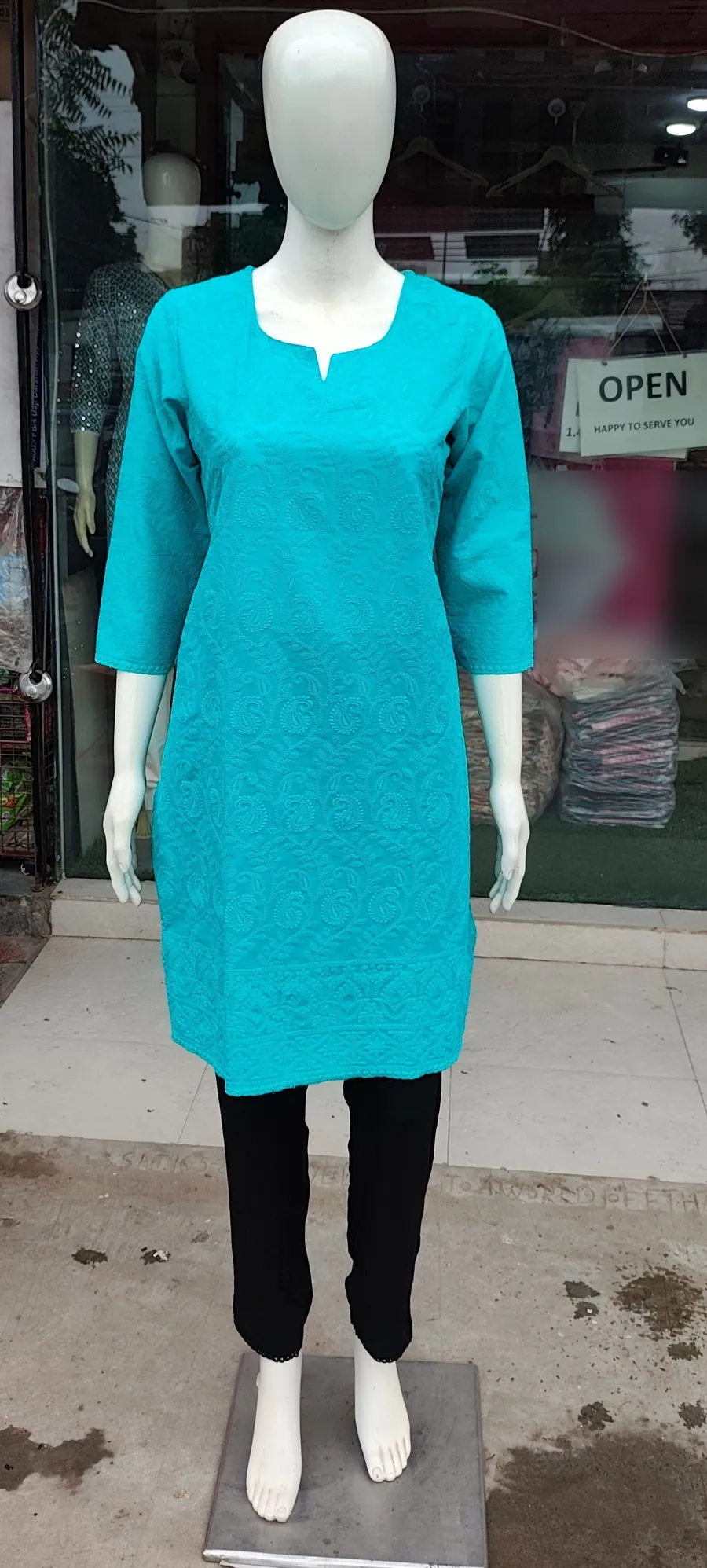 Brand's mannequin
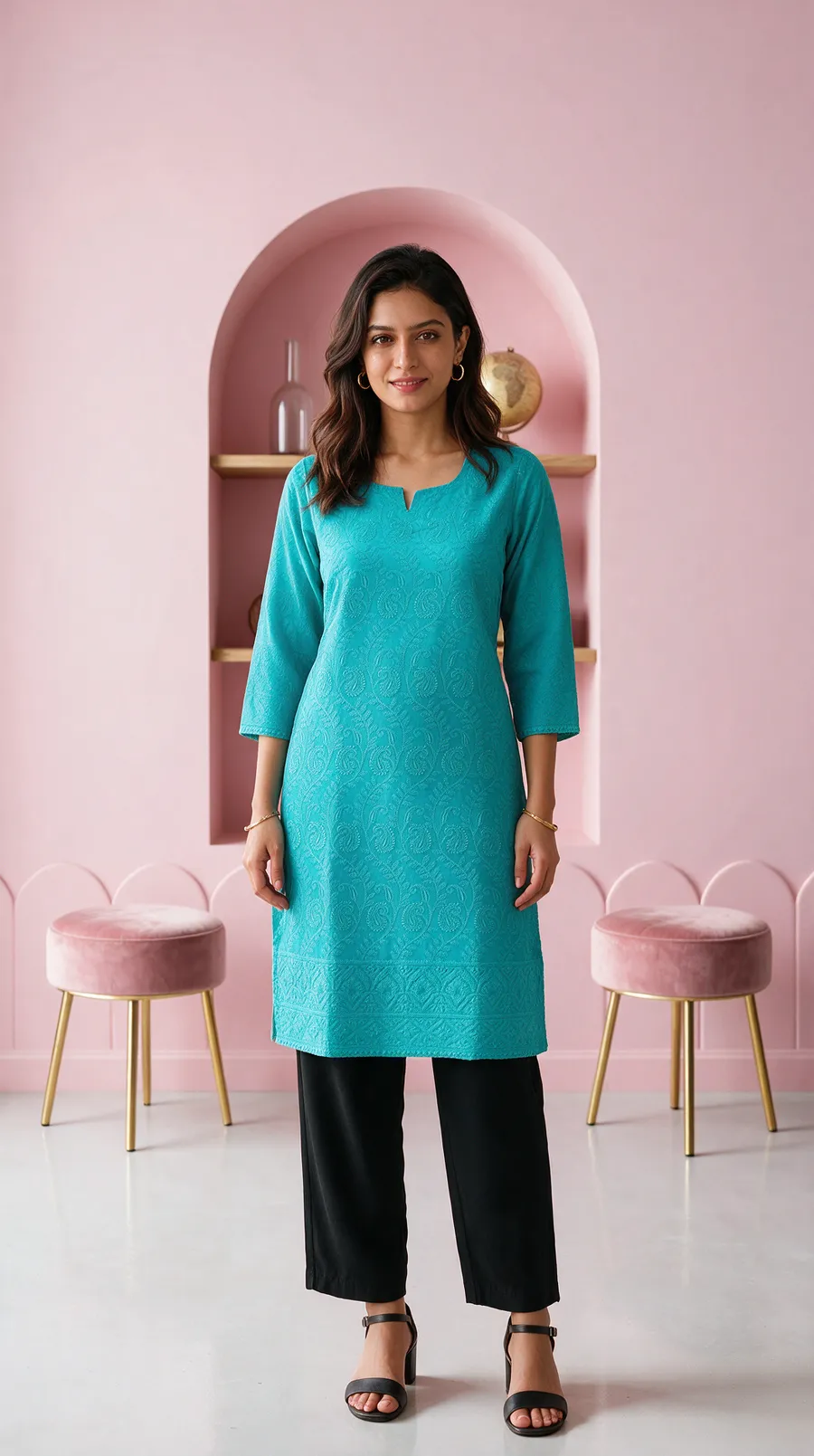 Fivo
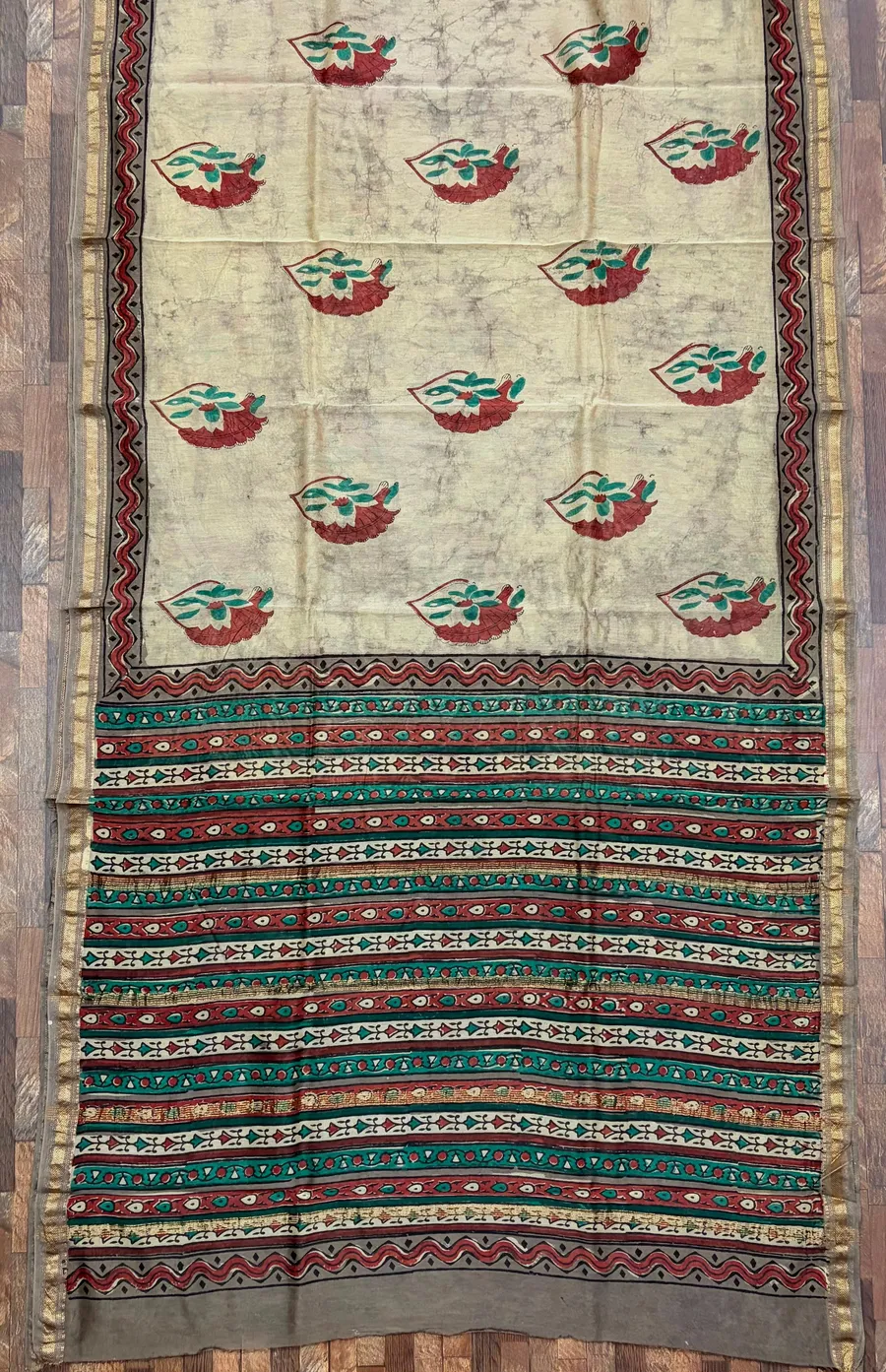 Brand's flat-lay
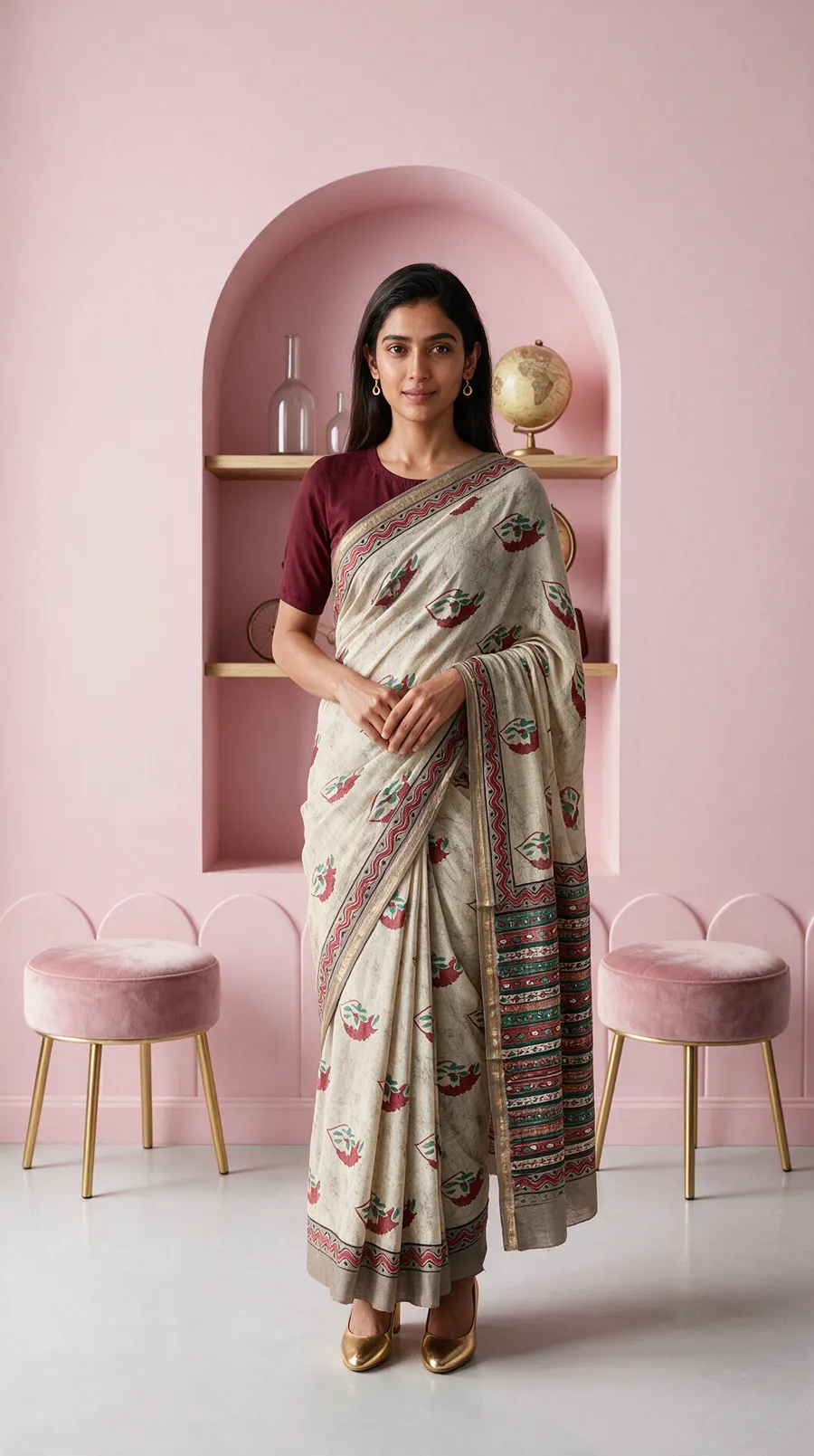 Fivo
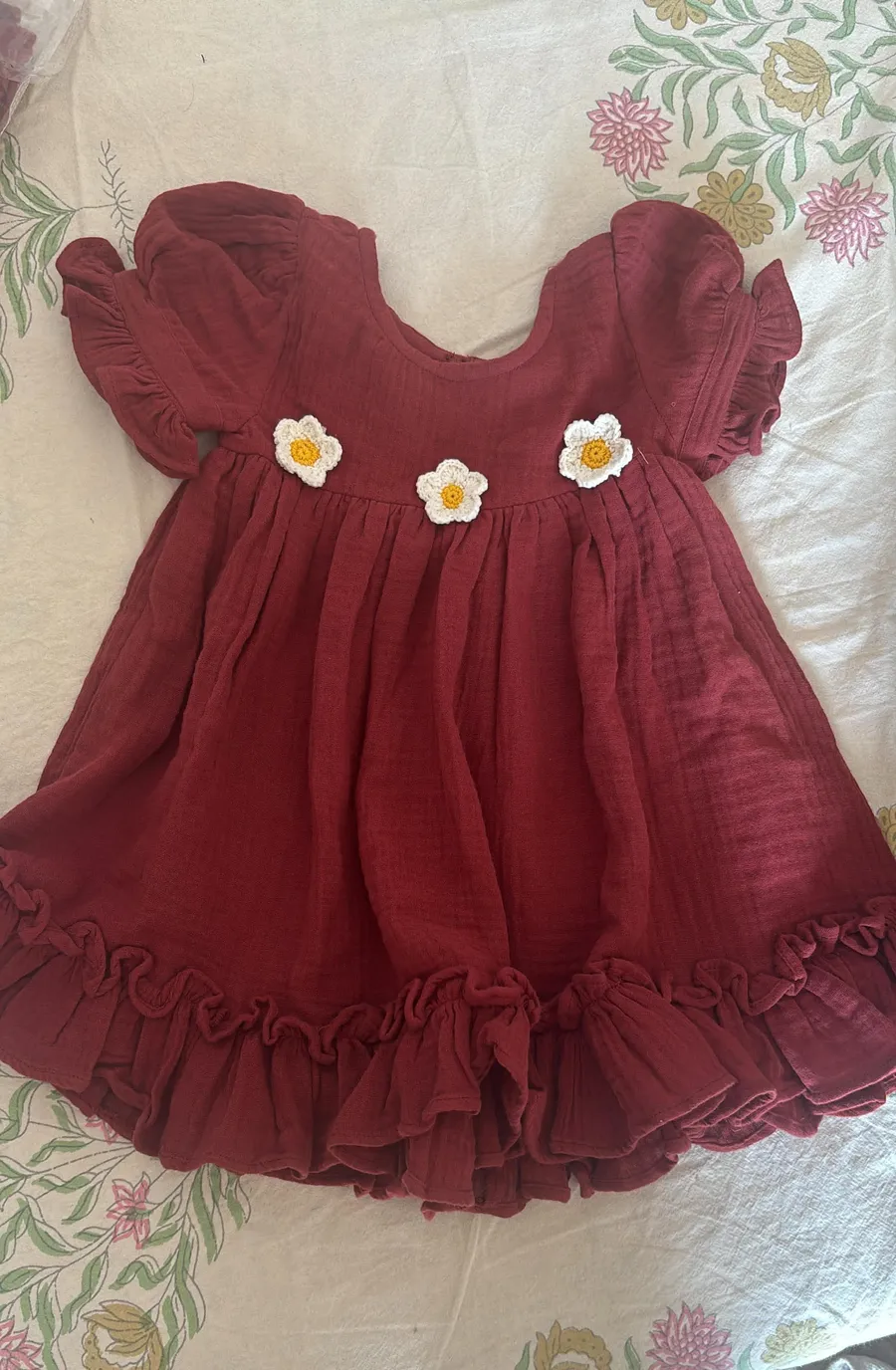 Brand's phone photo
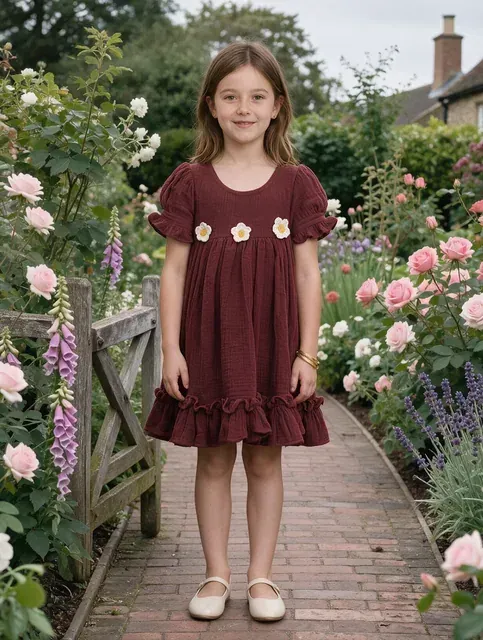 Fivo
Who each is built for
For clothing that has never been worn on camera.
For product photos that need cleaning up.
Switching from Photoroom?
Find five garments that were only ever shot on a hanger, a mannequin or flat, and upload those originals.
In Fivo Studio, choose a model, pose and backdrop once for the whole test batch.
Fivo makes the front, back, side and close-up of each garment, plus a video if you want one.
Open each result beside the real garment and your current listing photo. Keep Photoroom for the edits it already does well.
Questions
Short answers for clothing sellers who already use Photoroom or are choosing between the two.
Yes. Photoroom's AI Fashion Models tool, checked November 2026, takes a flat lay or a worn shot, and lets you pick a model, a pose and a background in portrait, landscape or square. Custom models can be saved in its Brand Kit. Fivo's difference is the matched set: every side of one garment, from one reading.
When the garment is already photographed on a person and only the setting, the light or the crop needs fixing. If it was shot on a hanger, a mannequin or laid flat, a new backdrop still won't show how the collar sits or where the hem falls, and an on-model shoot such as Fivo's fits better.
Photoroom's fashion-model page didn't describe matched back, side and close-up views when we checked in November 2026. Fivo makes those four views from one reading of each garment, so the print and trims agree across them. Whichever tool you use, look at each image beside the real piece before it goes live.
Photoroom says its Product Fixer keeps labels and colour. On Fivo, the photo you upload is the reference: the colour, print and trims are carried into each view, and a colour-match step runs in the pipeline. Lighting in the original photo still matters, so check each image against the real garment before it goes live.
Photoroom lists iPhone, iPad, Android, web and Shopify apps on its site. Fivo has an Android app that shoots one garment at a time, and Fivo Studio on the web for a whole collection. Fivo has no iPhone app, and Fivo for Shopify is still coming.
For background removal, backdrop swaps, packshot cut-outs, batch resizing and products that aren't clothing, and for stores that want a shopper try-on or a self-serve API. Fivo is the better fit when a garment that has never been worn needs to be shown on a model from every side, in one look across a collection.
Yes, and many catalogues suit both. Run Photoroom on photos that already show the garment worn, and send hanger, mannequin and flat-lay photos to Fivo. Fivo's images download in 2:3, 3:4, 9:16 and 1:1, and any banner size beyond those can be made in your editor afterwards.
Not if your photos only need editing. Switch the part of your catalogue that has no model in it: hanger shots, dress forms, flat lays. Try five of those in Fivo, compare them with your live listings, and keep Photoroom for the backdrop and resize work it handles well.
BEYOND THE BACKGROUND
 Fivo for AndroidShoot one garment at a time on your phone. Images and videos in your brand's look.