Every image matches
The same garment, fabric, design and model across front, back, side and close-up, and across the whole collection.

Fivo Studio · self-serve · bulk
Fivo Studio is Fivo's web app for bulk AI fashion photoshoots. Upload every garment in a collection, choose the models, poses and backgrounds once, and get matching on-model images and videos for your catalogue, marketplaces and social media.
Works in your browser at studio.getfivo.com · from about ₹20 an image · see pricing
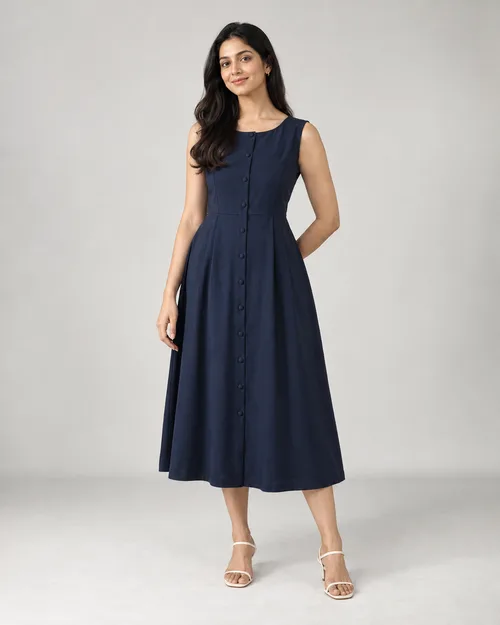
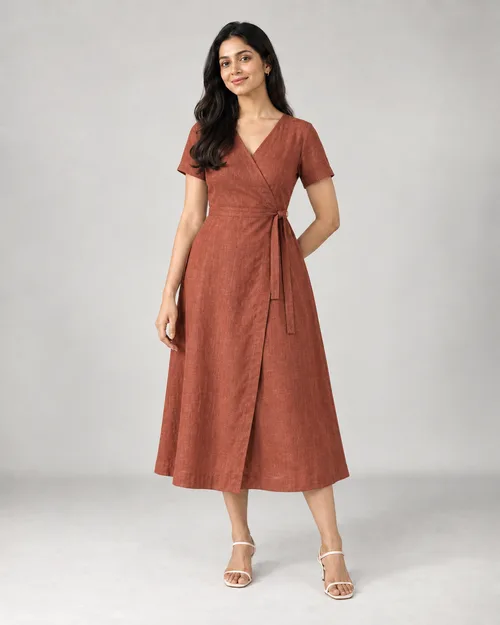
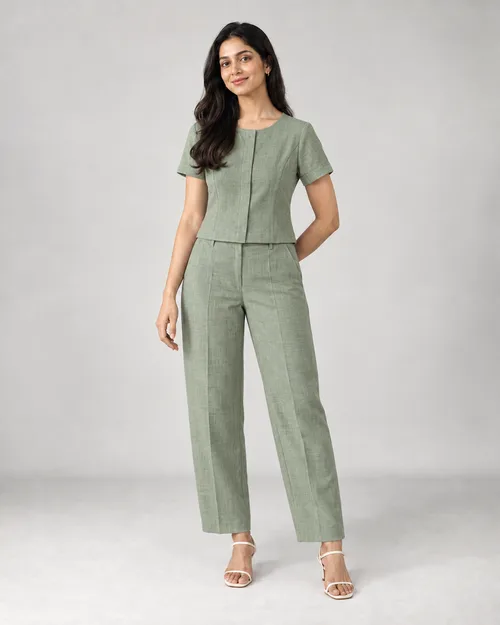
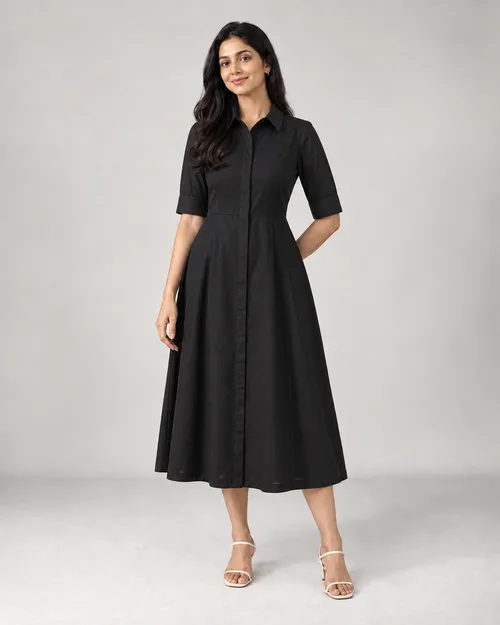
Why brands choose Fivo
Customise every shoot to your brand. Fivo keeps your garment, your models, your styling and your look the same in every image you put out.
The same garment, fabric, design and model across front, back, side and close-up, and across the whole collection.
Your photo is the reference: colour, print, embroidery and cut are carried into every image, not reinvented.
Choose the pose for each shot, from straight catalogue fronts to walking, seated and detail shots.
Pick models by the look and age group your customers relate to: women, men, kids, Indian or international.
Choose each styling article per garment: footwear, jewellery, bags, watches, belts, and the top or bottom it's paired with. Or upload your own.
How a bulk shoot works
Add the photos for every garment: on a hanger, laid flat, on a mannequin, on a person, or a plain phone photo.
Pick the models, poses, background and formats that fit your brand, once for the whole collection.
Fivo Studio shows the total before the shoot starts, then puts every garment on model, as images and videos.
Check each image against the garment, then download for your store, marketplaces and social media.
Brand consistency
A catalogue only works when it looks like one brand. In Fivo Studio you set the look once, and every garment in the collection is shot with the same models, poses, styling and backgrounds.
Each garment is read once from your photos, and every view of it is made from that one reading, so the front, back, side and close-up match each other and the real product.
Made for every channel
Catalogue images for Myntra, Amazon, Flipkart, Meesho and AJIO.
Product-page images for Shopify and your own store.
Stories, Reels and ads, as images and videos.
Square images for catalogues and broadcasts.
Coming soon · Fivo for Shopify
Fivo for Shopify, listed as "FIVO: Fashion Photoshoot", is coming soon to the Shopify App Store. It connects your store to Fivo Studio, so products go in and finished photos come back out without downloading or uploading a thing.
Add Fivo from the Shopify App Store and sign in to Fivo Studio with your Shopify store.
Import products from your store into Fivo Studio, ready to shoot in your brand's look.
Send the on-model photos to your existing product pages, or create new draft products.
Three ways to shoot
Every path is customised to your brand: the models, poses, styling and backgrounds you choose. Your brand is never diluted into a generic AI look.
Shoot a whole collection on the web, every garment in the same look.
Open Fivo StudioShoot one garment at a time on your phone, the day it arrives.
About the appFivo's team runs the whole production end to end, from creative direction to delivery.
Questions
What brands ask before their first bulk shoot.
Fivo Studio is Fivo's web app for bulk AI fashion photoshoots, at studio.getfivo.com. Fashion brands upload a whole collection, choose one look, and get every garment on model as matching images and videos for catalogues, marketplaces and social media.
As many as your collection has. A bulk shoot is limited only by the credits you hold: Fivo Studio reserves the credits for the whole shoot before it starts, so a large collection never stops halfway.
No. Fivo Studio runs in your web browser. Open studio.getfivo.com and sign in with your mobile number.
Images start at about ₹20 each: credits cost ₹1, and a Standard image uses 20 credits. Fivo Studio shows the total for the whole collection, GST included, before the shoot starts. See Fivo pricing for examples.
No. Credits are held when a shoot starts and charged only for the images you get; the credits for any image that fails are released back to you.
Yes. Fivo Studio turns the same garments into on-model videos for product pages, Instagram Reels and ads, in the same look as the collection's photos.
A bulk shoot runs in the background, and even a full collection is usually ready within 24 hours.
Soon. Fivo for Shopify, listed as "FIVO: Fashion Photoshoot", is coming soon to the Shopify App Store. It will connect your store to Fivo Studio: import your products, shoot them, and publish the photos back to your product pages or as new draft products. Until then, download the images from Fivo Studio and upload them to Shopify.
Choose Fivo's full service: the Fivo team runs the production end to end, from creative direction to delivery of your images and videos. For a single garment at a time, use the Fivo Android app instead.
FIVO STUDIO