Every image matches
The same garment, fabric, design and model across front, back, side and close-up, and across the whole collection.

AJIO product photography
AJIO presents itself as a store of curated labels, and its product pages sit beside brands that run real campaigns. Fivo shoots every piece on a model picked for your customer, in one setting and one look across the line, and turns mannequin photos into the on-model first image AJIO asks for.
From about ₹20 an image · price shown before you generate · see pricing
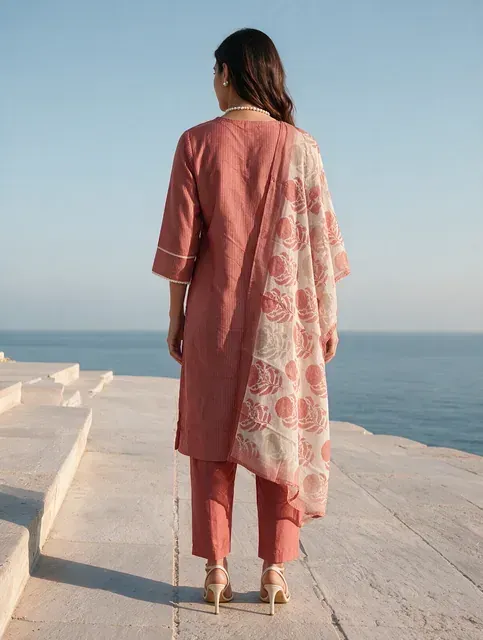 Fivo · Back
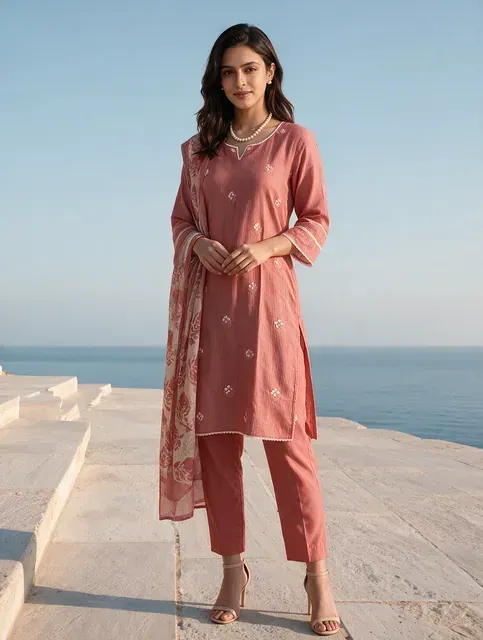 Fivo
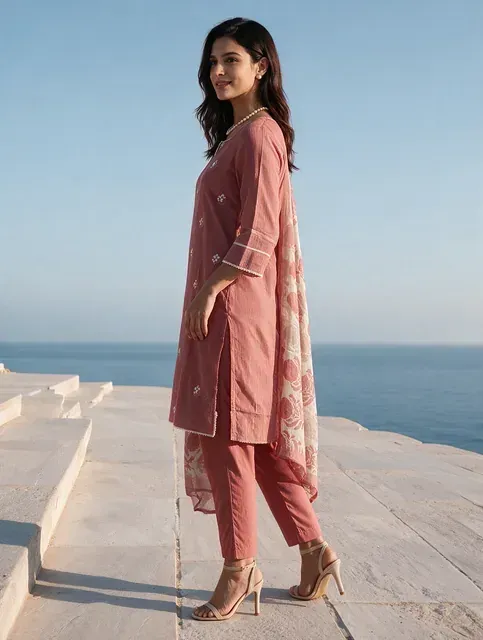
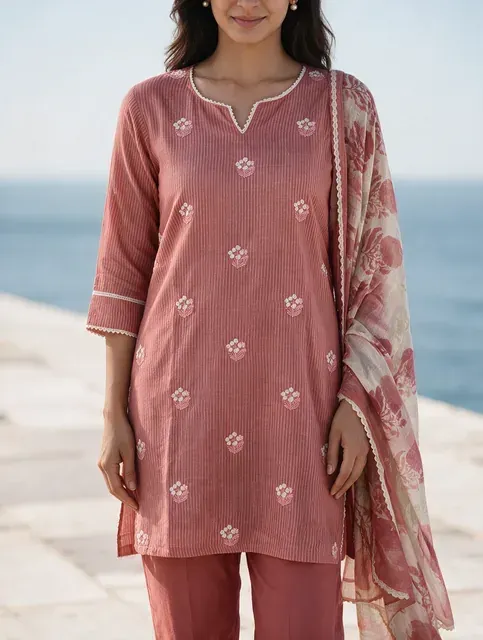
It shoots a label's AJIO range on model, in one consistent look, from the photos the brand already has. In Fivo you set the model, poses and a light backdrop once, and every piece returns in front, back, side and close-up: the four views AJIO's partner documentation lists as required.
Why brands choose Fivo
Customise every shoot to your brand. Fivo keeps your garment, your models, your styling and your look the same in every image you put out.
The same garment, fabric, design and model across front, back, side and close-up, and across the whole collection.
Your photo is the reference: colour, print, embroidery and cut are carried into every image, not reinvented.
Choose the pose for each shot, from straight catalogue fronts to walking, seated and detail shots.
Pick models by the look and age group your customers relate to: women, men, kids, Indian or international.
Choose each styling article per garment: footwear, jewellery, bags, watches, belts, and the top or bottom it's paired with. Or upload your own.
Who it's for
Your pieces will sit beside long-running brands. Give them a campaign look from the catalogue photos you already have, not a supplier's hanger shot.
Kurta, pant and dupatta shown as one outfit, with the buttis and trims in the close-up that serves as AJIO's detail view.
Tops, dresses and waistcoats arrive in small capsules. Shoot each one on last season's model so the brand page reads as one story.
Use one model and backdrop for the website and the AJIO catalogue, then export the format each one takes.
What AJIO asks for
AJIO keeps its image guidelines behind the seller login. The public summary below comes from Fynd, a Reliance-owned commerce platform that lists products on AJIO for its sellers.
| Rule | What the documentation says |
|---|---|
| Images per product | 1 to 14 |
| Size | Over 1000 pixels on both sides |
| Ratio | 1:1.25 |
| File | JPEG or PNG, 200 KB to 1 MB |
| Background | Light, with natural shadows |
| Required views | Front, side, back and a detail shot |
| Framing | The product fills 80–85% of the frame; the model's head may be cropped at the nose |
| First image | No mannequin, ghost-mannequin or pack images |
| Not allowed | Creases, duplicate angles, promotional text and watermarks |
Sources: Fynd's AJIO image guidelines and its AJIO FAQ, both checked November 2026. This is partner documentation, not AJIO's own, so confirm the rules in your seller panel.
Where Fivo fits
| AJIO asks for | With Fivo |
|---|---|
| No mannequin as the first image | Upload the mannequin photo you have. The garment comes back on a model from Fivo's catalogue, so an on-model front can lead. |
| Front, side, back and detail | All four come from one reading of the garment, so the required angles agree with each other. |
| No duplicate angles | Each view is a different angle, and a lifestyle frame adds a fifth without repeating one. |
| A light background with natural shadows | You pick the backdrop. Choose a light one and compare it with AJIO's current rule. |
| A 1:1.25 frame | Not one of Fivo's four formats (2:3, 3:4, 9:16, 1:1). 3:4 is the nearest, so check in the seller panel how AJIO handles other ratios. |
| 200 KB to 1 MB, over 1000 pixels | Check the downloaded files, and resize or compress where the panel asks. |
Why labels use Fivo on AJIO
AJIO's documented rules keep mannequin shots off the first image. Upload the dress-form photo, and the lead image becomes the garment on a model chosen for your customer.
Front, back, side and detail are four distinct angles of the same reading of the piece, so the set meets the required list without a duplicate.
Set the pose, mood and styling once, from footwear and jewellery to the pant a top is paired with. The whole capsule inherits it, never diluted into a generic AI look.
A Studio collection is usually ready within 24 hours, so a capsule that lands the week of AJIO's sale still gets a full set of views.
Your photo is the reference, so the dye shade, buttis and lace trim carry into every view, and a colour-match step runs in the pipeline. Compare each one with the piece.
Shooting for AJIO
Mannequin, hanger, flat-lay or worn, whatever you have. Add a close-up of the detail AJIO wants as its own view.
In Studio, choose the model, pose, styling and a light backdrop, once for the collection.
Front, back, side and close-up, with the full price and GST on screen before you start.
Compare each image with the garment, fit it to the panel's ratio and file limits, then upload.
One suit, AJIO's four views
A pin-stripe kurta with floral buttis and lace trim, straight pants and a printed dupatta, in the four angles AJIO's documentation lists. This set was shot on seaside steps; for the listing, pick a light studio backdrop.
A curated range
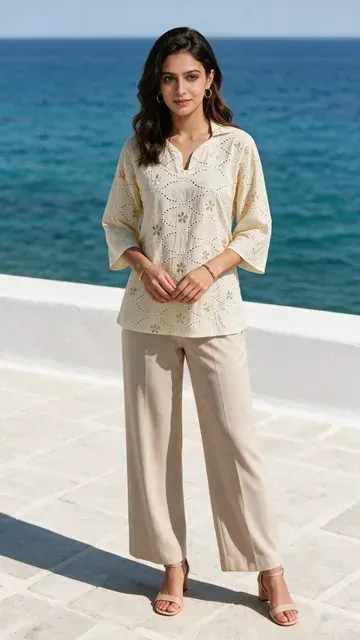
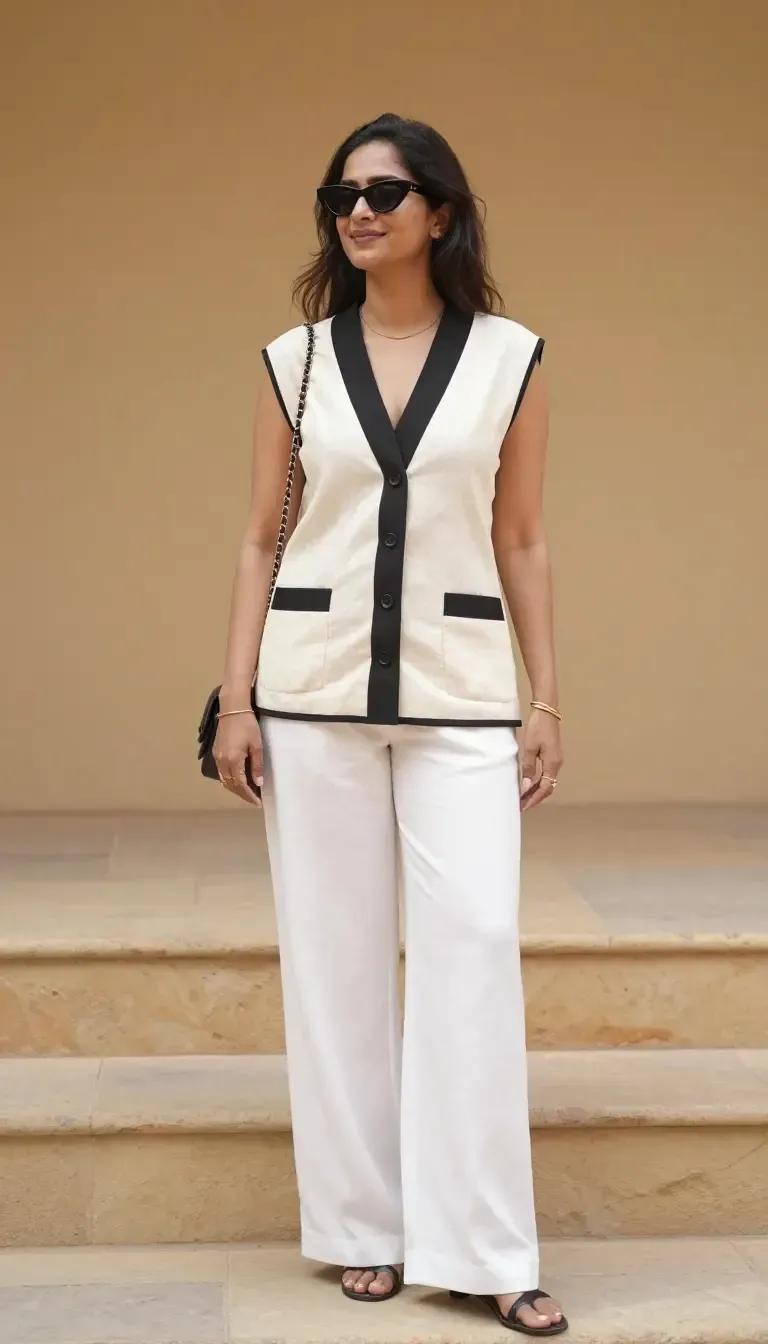
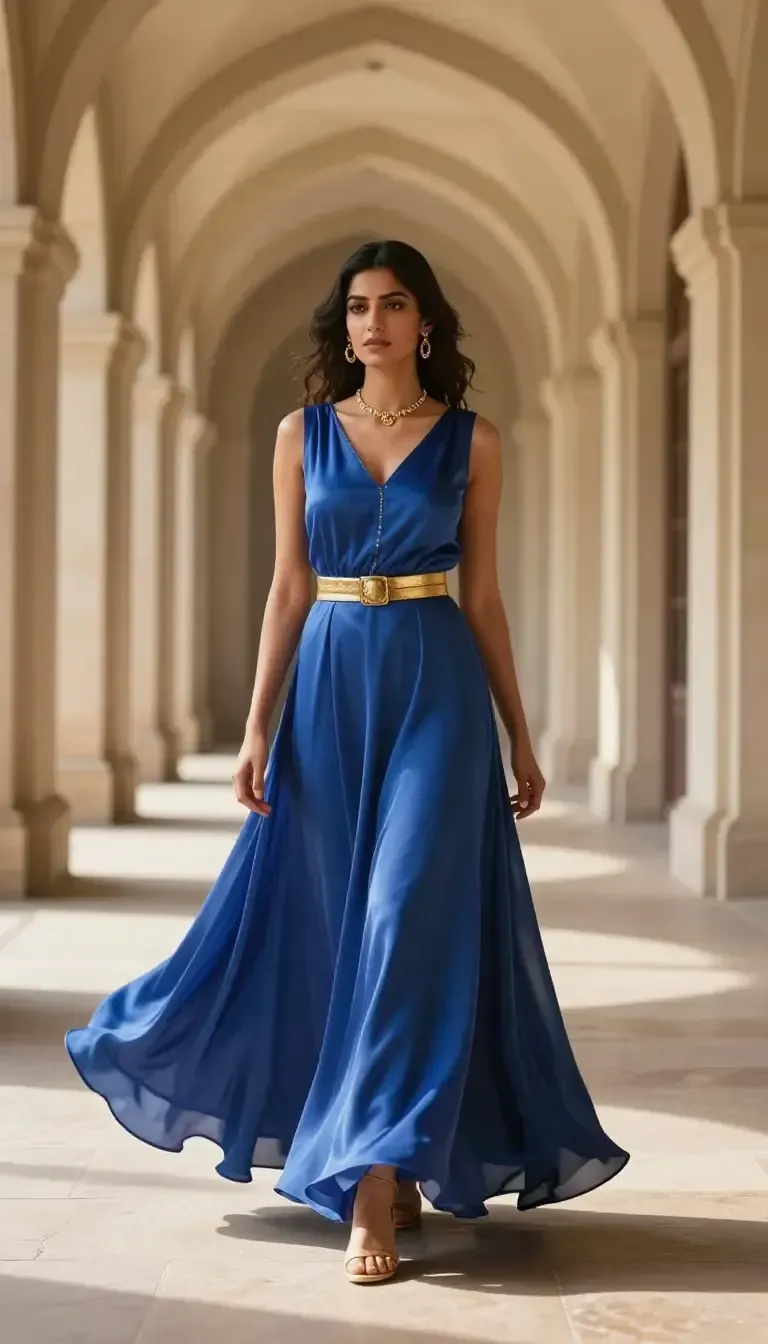
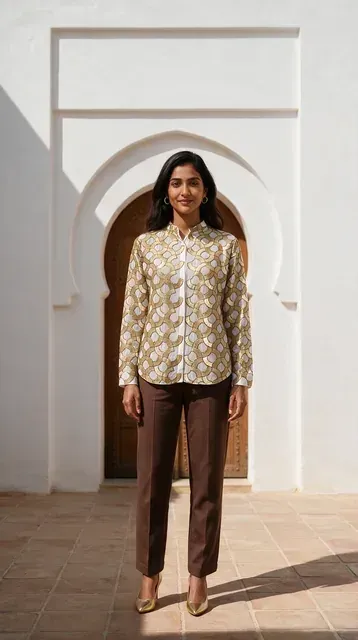
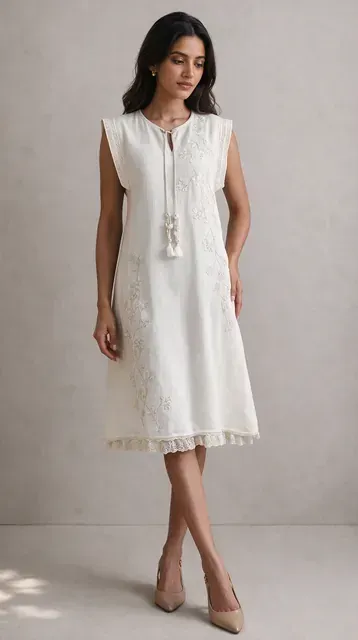
An eyelet top from a mannequin photo, then a linen waistcoat, a cobalt maxi, a gold-print shirt and an embroidered linen dress. Location frames suit a launch; the listing itself wants the light studio ones.
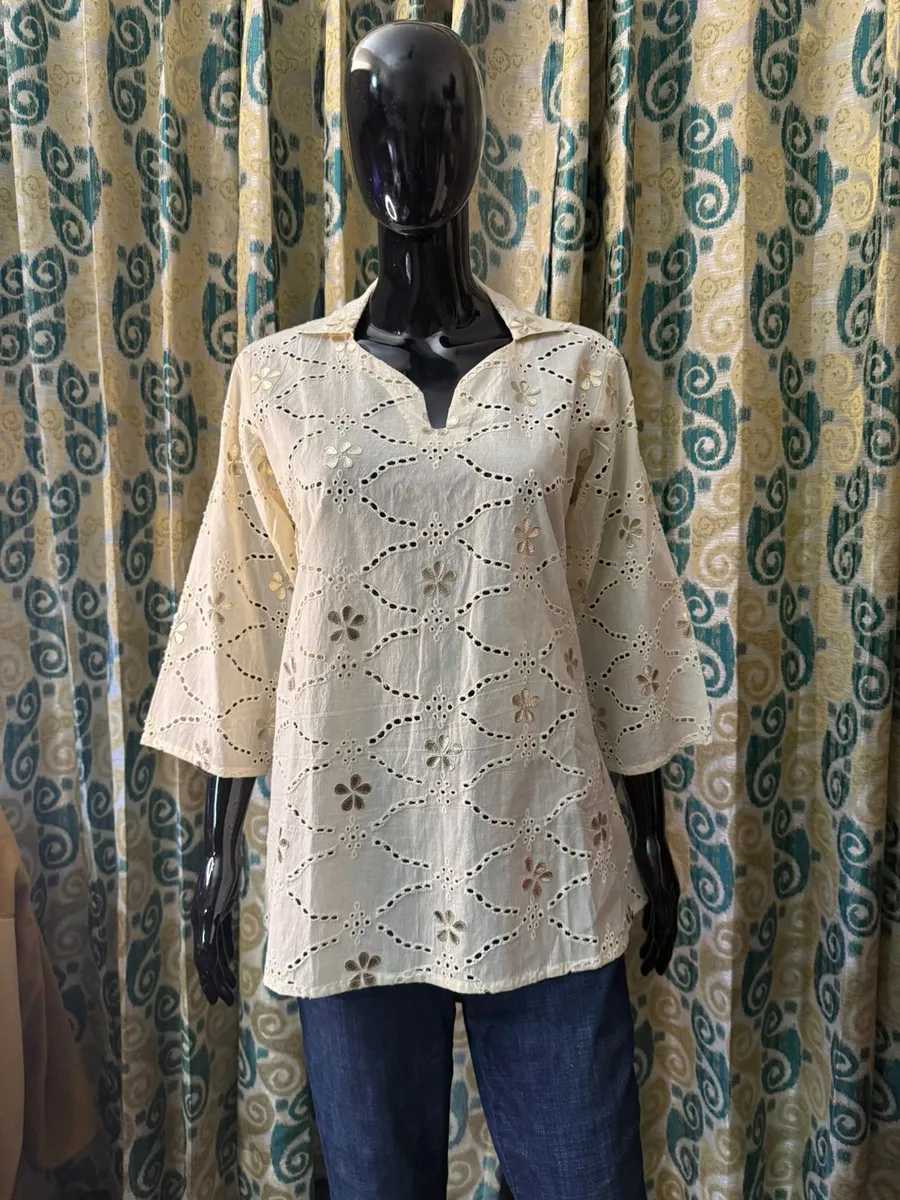 Brand's mannequin
 Fivo
 Fivo
 Fivo
 Fivo
 Fivo
Questions
What labels ask before they shoot their AJIO catalogue with Fivo.
AJIO's own guidelines sit behind the seller login. Fynd's partner documentation, checked November 2026, gives 1 to 14 images, over 1000 pixels on both sides, a 1:1.25 ratio, JPEG or PNG between 200 KB and 1 MB, and a light background with natural shadows. Confirm them in your AJIO seller panel.
Shoot the collection in Fivo Studio with one model, one set of poses and one backdrop, chosen once for the upload. Every piece comes out in that look, and styles added later can go on the same model so the brand page stays consistent.
If your website's images were made in Fivo, use the same model and backdrop and they will match. If they came from a studio shoot, choose the closest model, pose and background in Fivo and compare a sample with your site before shooting the range.
Fynd's AJIO documentation makes front, side, back and detail views mandatory, allows up to 14 images, and rules out duplicate angles. Fivo makes those four views of each piece, and lifestyle frames can go on top.
Yes, as the input. AJIO's rules, as Fynd documents them, don't allow a mannequin, ghost-mannequin or pack image first. Fivo turns a mannequin photo into the same garment on a model, which can lead the listing instead.
Fivo works from your photo rather than reinventing the garment: the shade, print and embroidery are carried into each view, and a colour-match step runs before you see them. A return for 'colour not as shown' starts with the image, so check every frame against the real piece before upload.
The look can, but the frames differ. Partner documentation gives Myntra 3:4, which Fivo makes, and AJIO 1:1.25, which isn't one of Fivo's formats, so the AJIO set needs fitting to its ratio. The backgrounds asked for differ slightly too.
AJIO does. It reviews every listing against its own current rules, and Fivo can't decide that for it. You may use the images Fivo generates for any lawful purpose, including listings, advertising and social media.
YOUR AJIO CATALOGUE