Every image matches
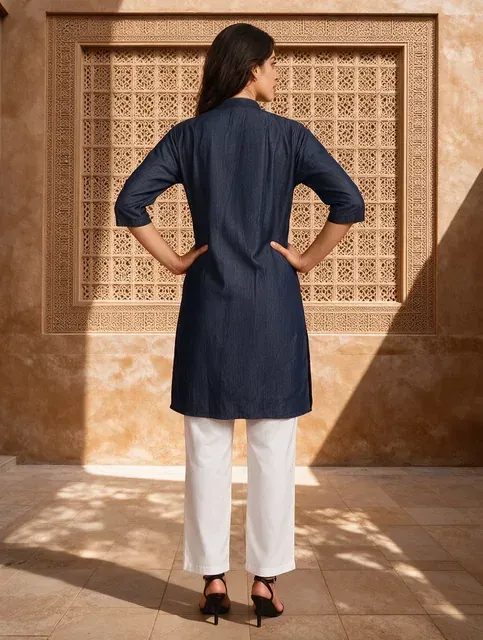
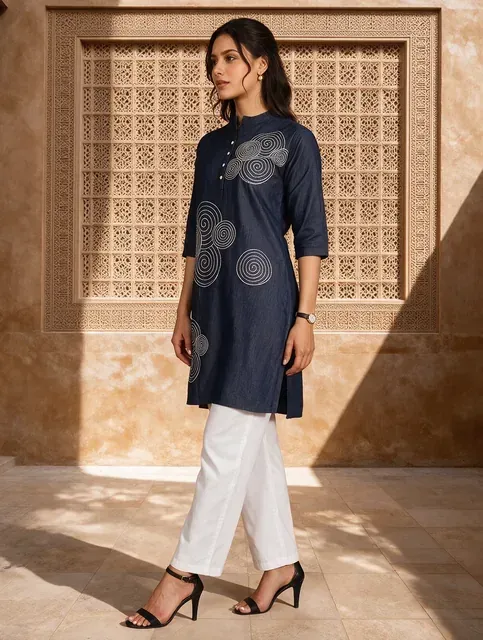
The same garment, fabric, design and model across front, back, side and close-up, and across the whole collection.

Myntra product photography
One photo of each style becomes on-model front, back, side and close-up images in 3:4, the ratio Myntra's partner documentation names. Soften's denim dresses are live on Myntra with images made this way.
From about ₹20 an image · price shown before you generate · see pricing
 Brand's on-model photo
 Fivo
It turns a plain photo of each garment into on-model catalogue images for a Myntra listing. You photograph the piece, choose a model and backdrop, and get front, back, side and close-up views in 3:4. The wash and thread-work stay true to your photo, so a brand page of twenty styles reads as one shoot.
Why brands choose Fivo
Customise every shoot to your brand. Fivo keeps your garment, your models, your styling and your look the same in every image you put out.
The same garment, fabric, design and model across front, back, side and close-up, and across the whole collection.
Your photo is the reference: colour, print, embroidery and cut are carried into every image, not reinvented.
Choose the pose for each shot, from straight catalogue fronts to walking, seated and detail shots.
Pick models by the look and age group your customers relate to: women, men, kids, Indian or international.
Choose each styling article per garment: footwear, jewellery, bags, watches, belts, and the top or bottom it's paired with. Or upload your own.
Who it's for
Your styles were shot over several seasons, on different faces. Reshoot the range in one look and the brand page stops looking assembled from leftovers.
Your own store runs on lifestyle pictures. Make the 3:4 catalogue set from the same garment photos instead of booking a second shoot for the marketplace.
Dresses, kurtas, denim and kidswear in one account. Match each category's models to the customers it sells to: women, men, girls, boys or an older age group.
Run each client's collection in Studio with its own model and backdrop, and hand over 3:4 views for their seller panel without a studio day per label.
What Myntra asks for
Myntra keeps its own image guidelines inside the seller panel. The public summary below is from Fynd, a commerce platform that lists products on Myntra for its sellers.
| Rule | What the documentation says |
|---|---|
| Images per listing | 1 to 7; 5 to 7 when listing in bulk |
| Aspect ratio | 3:4 |
| Minimum size | 1080 × 1440 pixels, at 72 dpi or more |
| File type and weight | JPEG only, between 500 KB and 1 MB |
| Background | White or light grey |
| Kind of photo | From a professional photoshoot |
| Not allowed | Price tags, stickers and product tags; text and watermarks; photoshopped celebrities; cropped, stretched, blurred or pixelated images |
Source: Fynd's Myntra FAQ, checked November 2026. This is partner documentation, not Myntra's own page, so confirm the rules in your seller panel.
Where Fivo fits
| Myntra asks for | In Fivo |
|---|---|
| A 3:4 frame | 3:4 is one of Fivo's four formats, so the set is made in Myntra's ratio rather than cropped down later. |
| Several images on each listing | Front, back, side and close-up from one reading of the garment, plus lifestyle frames if you want all seven slots. |
| A professional-looking shoot | A model your brand picks from Fivo's catalogue, with the pose you set and styling chosen per garment: footwear, jewellery or a bag from Fivo's styling catalogue, or accessories you upload. |
| White or light grey behind the product | You pick the backdrop. Choose a light studio one; Fivo doesn't promise an exact shade, so compare it with the rule. |
| No tags, text or bad crops | Remove swing tags before you photograph, and leave out any result that cuts off the hem. |
| JPEG, 500 KB to 1 MB, 1080 × 1440 or larger | Check the downloaded files against these limits and convert or resize where the panel asks. |
Live on Myntra
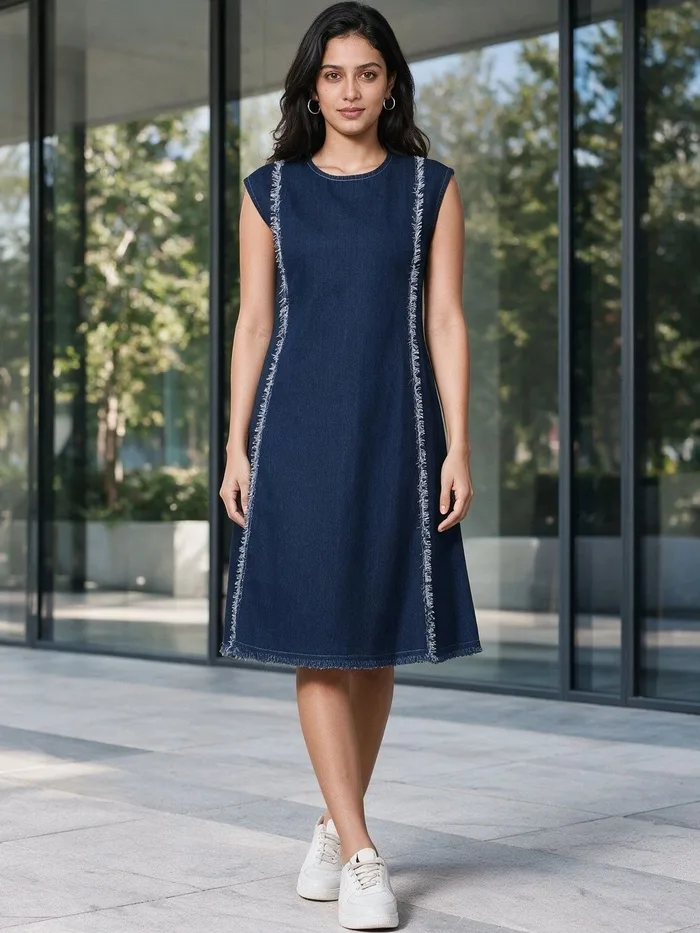
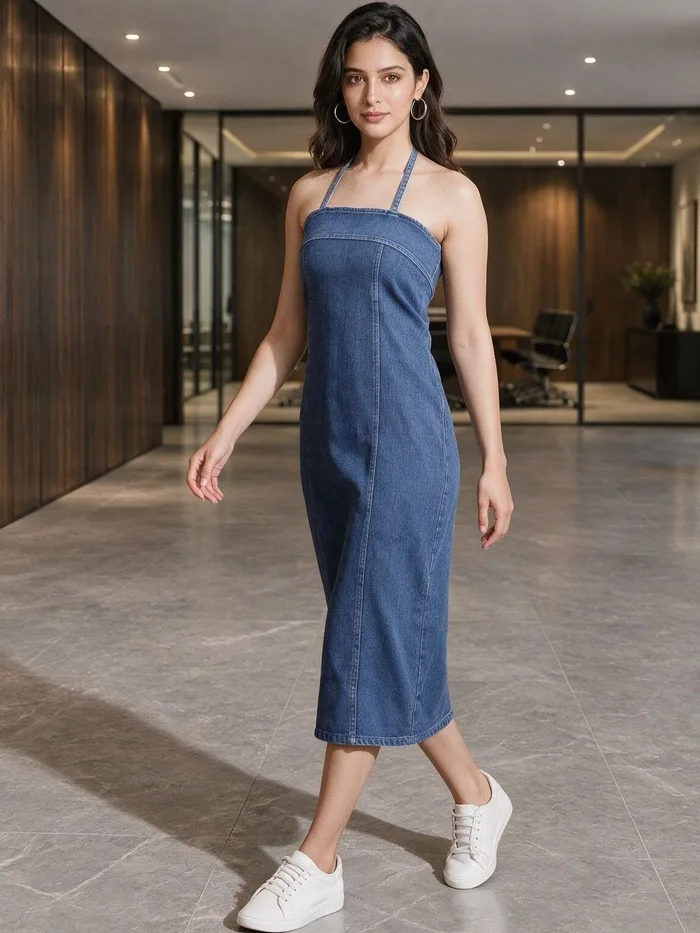
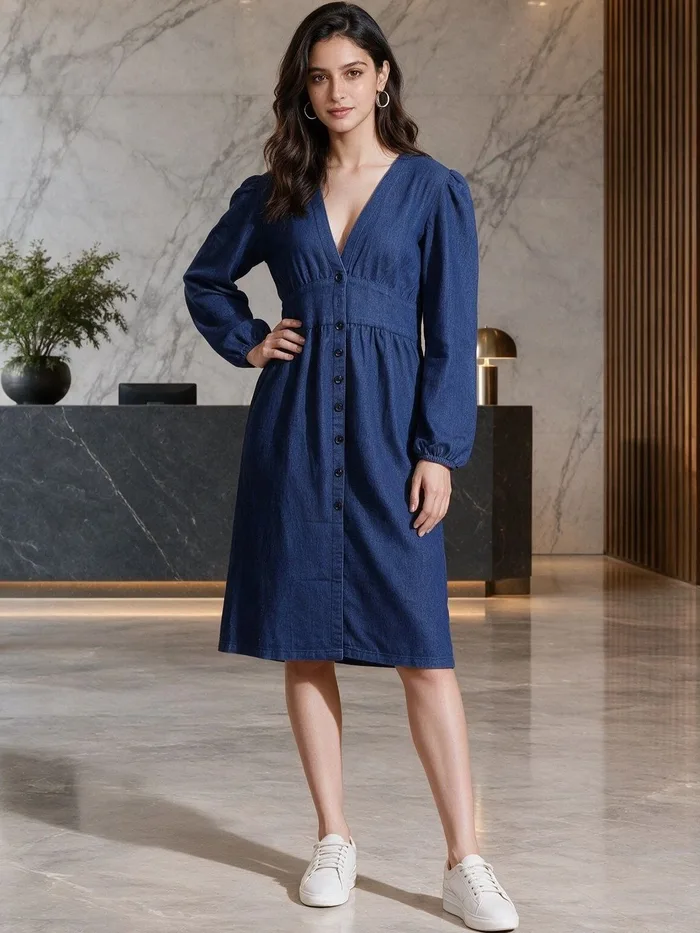
A V-neck button-through midi, a fringed A-line and a halter-neck fitted midi. The V-neck midi has led with a Fivo image since 3 November 2026. All three share one model, the same white sneakers and one kind of setting, so they read as a single label. More on the showcase.
Why Myntra brands use Fivo
Late arrivals before End of Reason Sale or Big Fashion Festival still get a complete set. A Studio collection is usually ready within 24 hours.
Pick one model and every style in the upload is shot on them, in the backdrop and pose you set. A shopper scrolling your page sees one label.
The views come from a single reading of the garment, so button count, wash and hem length match from the front image to the back.
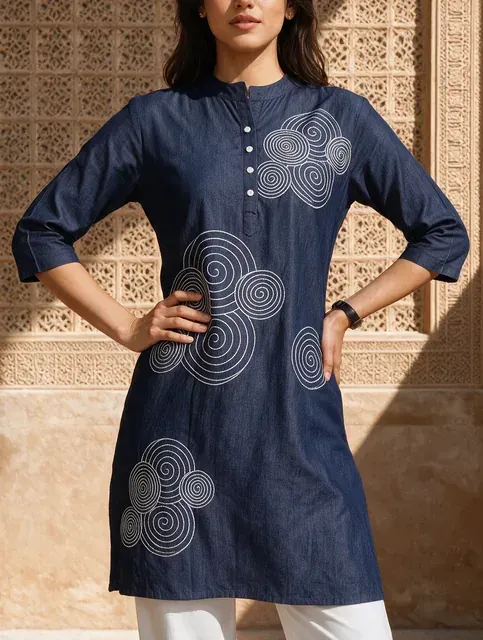
Myntra shoppers pinch in on top-stitching, trims and thread-work. The close-up frame gives that detail its own image in the gallery.
Returns marked 'colour not as shown' start in the gallery. Your photo sets the shade, a colour-match step runs on every view, and you check each image against the dress.
From photo to Myntra
On a hanger, flat, on a mannequin or worn. A phone is fine; add the back if it has a tie, zip or cut-out.
In Studio, choose the model, pose and a light backdrop for the range. Every style in the upload follows it.
Studio shows the full price with GST before anything runs. Credits for an image that fails are released.
Hold each image against the real garment, then upload through your seller panel or listing partner.
One garment, every view
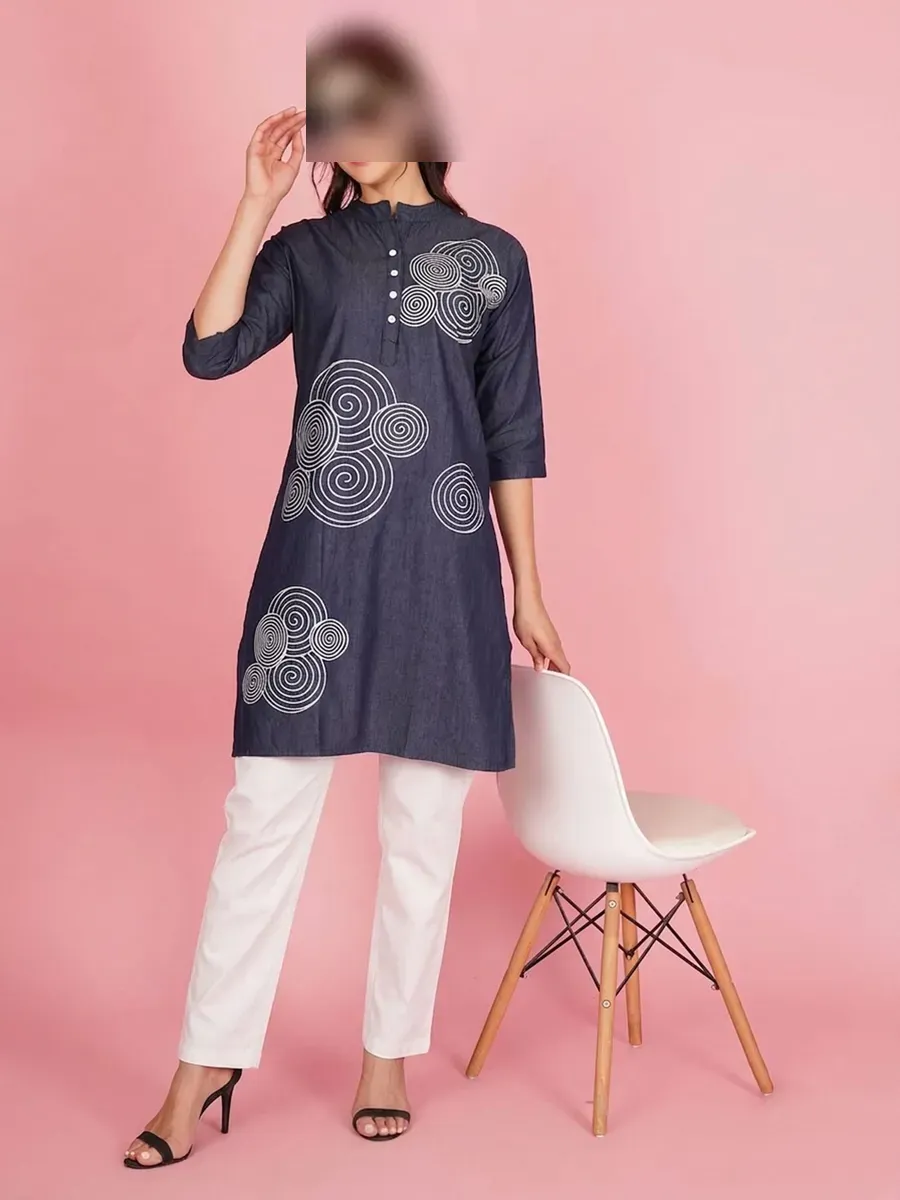
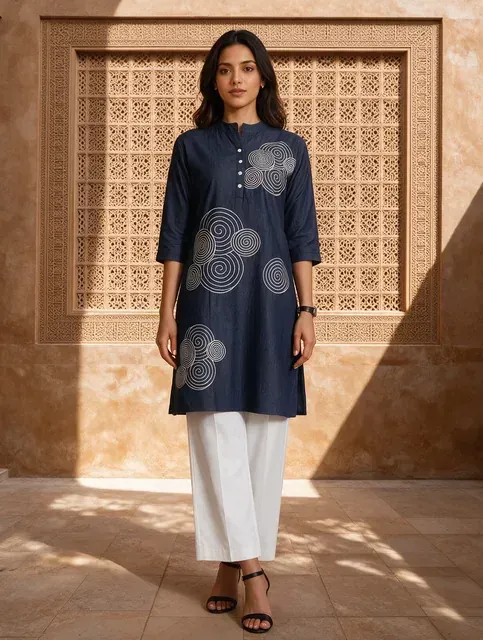
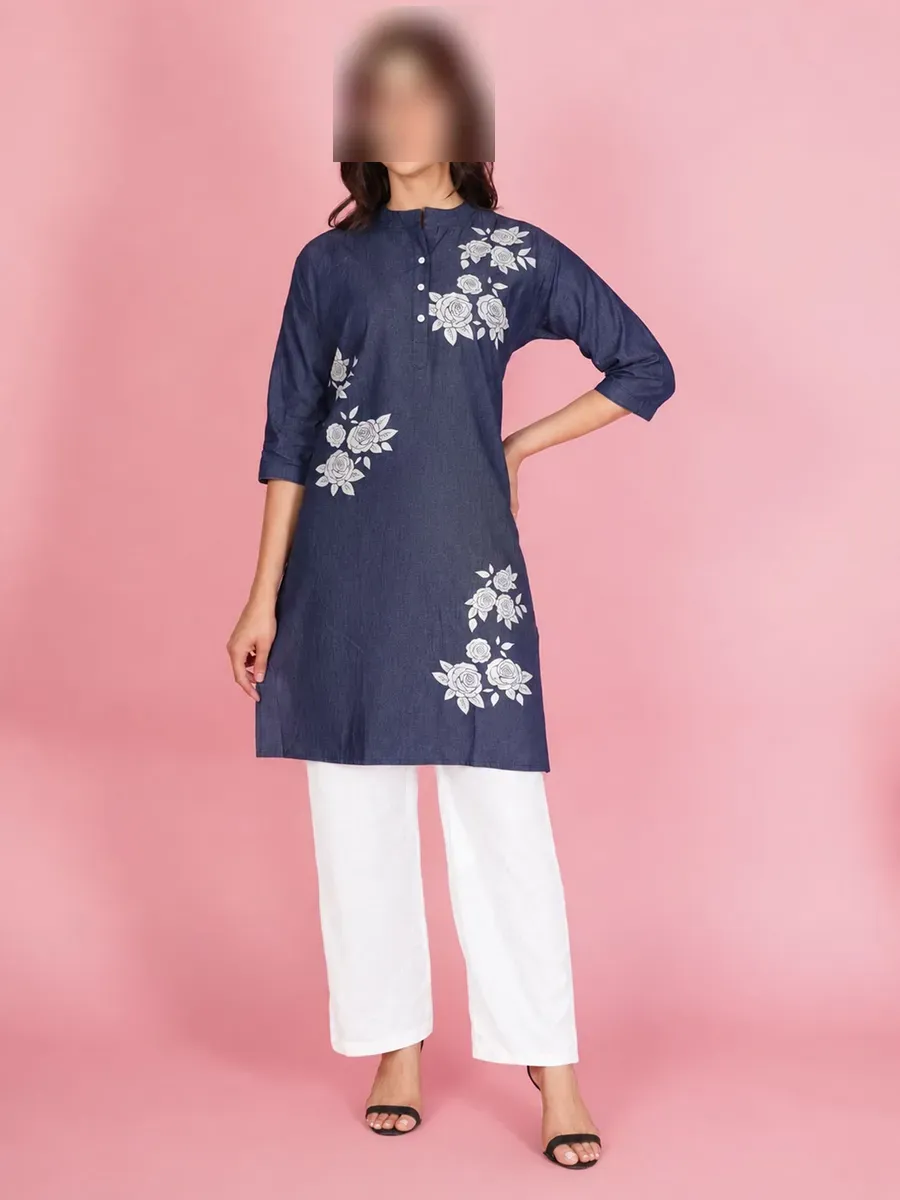
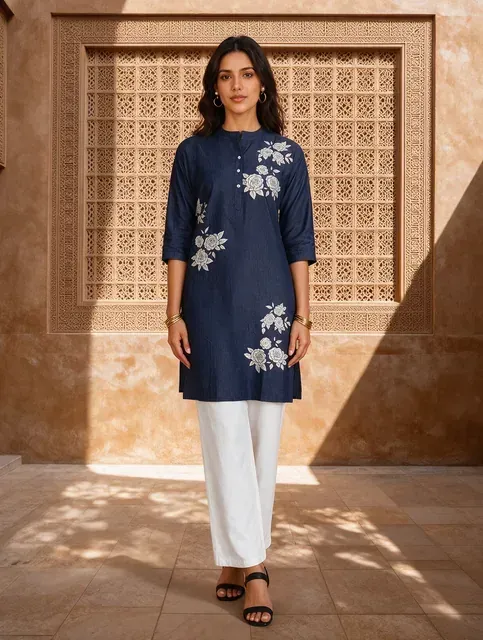
The brand's own catalogue photo, then four Fivo views of the same kurti. The spiral thread-work sits in the same place in every frame. This set was shot in a jaali courtyard; for a Myntra listing, choose a light studio backdrop.
Across a brand page
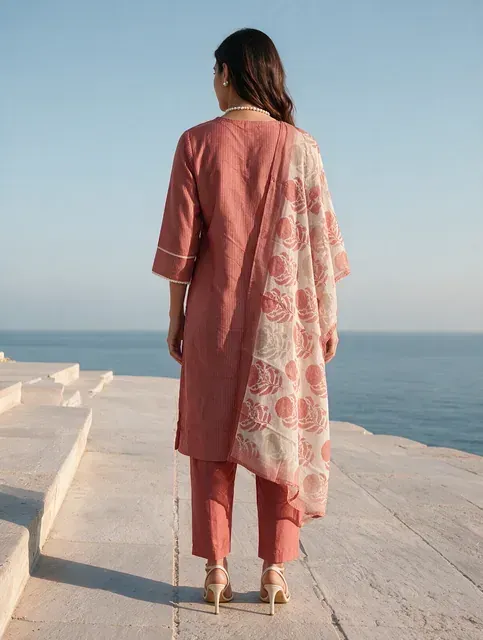
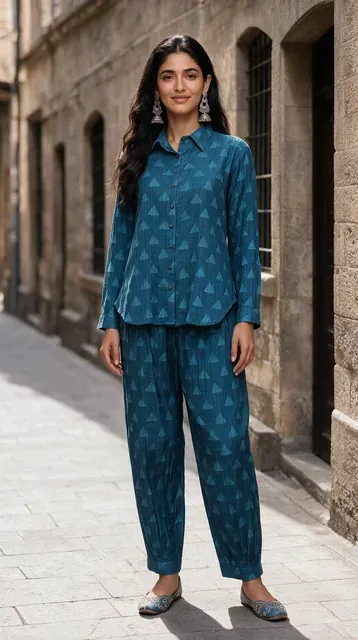
An embroidered suit in four views, a denim sundress and a printed co-ord, each with its back, plus a second kurti from the denim drop on the same model.
 Fivo · Back
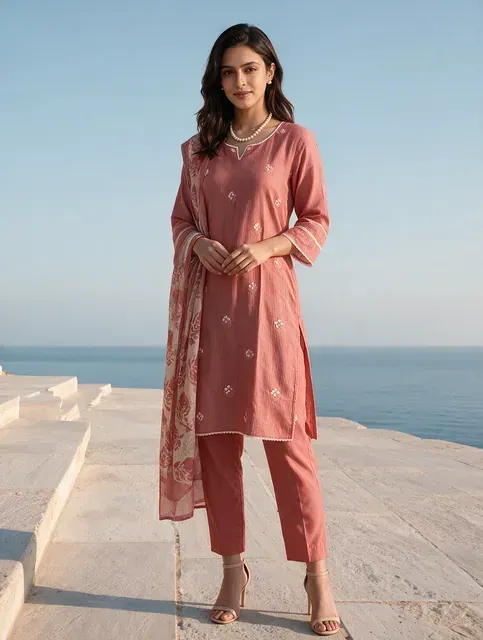 Fivo
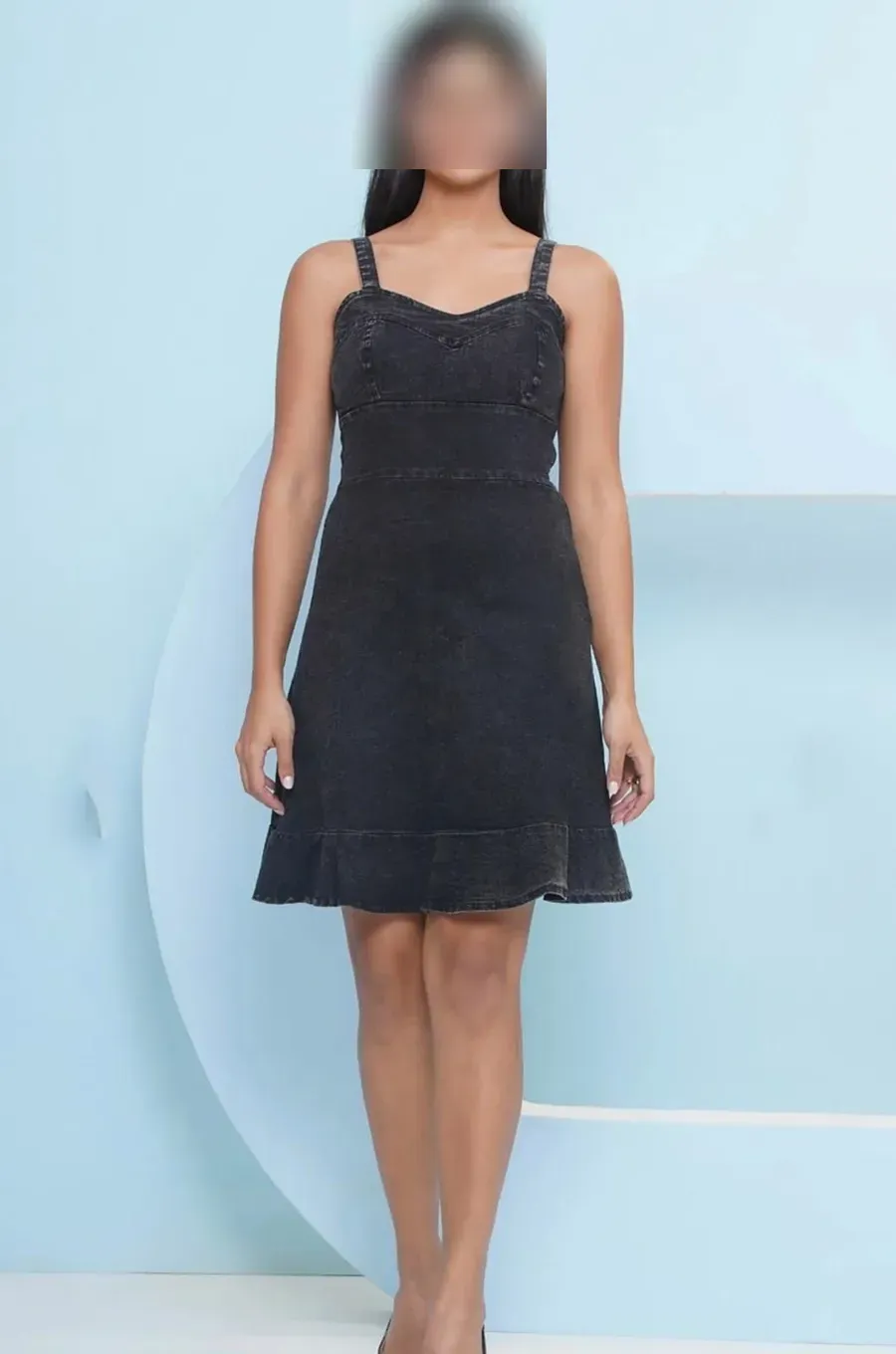 Brand's on-model photo
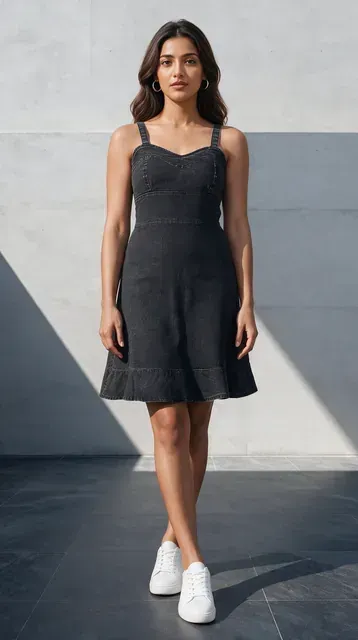 Fivo
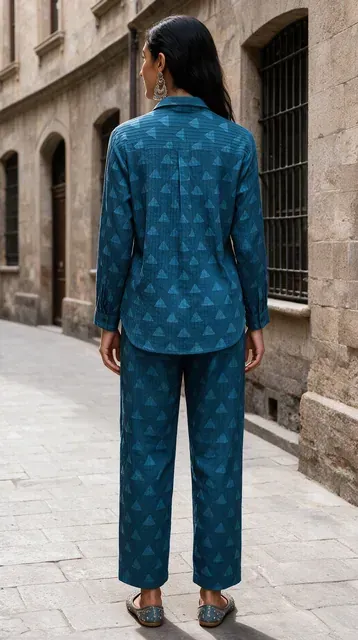 Fivo · Back
 Fivo
 Brand's on-model photo
 Fivo
Questions
What brands ask before they shoot their Myntra listings with Fivo.
Fynd's Myntra documentation, checked November 2026, gives a 3:4 ratio, at least 1080 × 1440 pixels, JPEG only, and a file between 500 KB and 1 MB. That is a partner's summary rather than Myntra's own page, so confirm it in your seller panel. Fivo makes images in 3:4.
The same documentation allows 1 to 7 images per listing, and 5 to 7 in bulk uploads. Fivo makes front, back, side and close-up views of each style, and lifestyle frames take a listing to six or seven.
Only Myntra decides, because it reviews each listing against its own current rules. Fivo makes the 3:4 frame and the angles those rules describe, and you choose the backdrop and check every image before upload. Soften's live dresses show Fivo images in use on Myntra; they are not a promise for any other listing.
Yes. Soften has three denim dresses on Myntra with Fivo images: a V-neck button-through midi, a fringed A-line dress and a halter-neck fitted midi. The V-neck midi has been live since 3 November 2026 with a Fivo image as its lead. Links to all three are on the Fivo showcase.
Yes. In Fivo Studio you choose a model from Fivo's catalogue, plus the pose and backdrop, and every garment in the collection is shot to those choices. New styles added next month can use the same model, so the brand page stays consistent.
Yes. Fivo's catalogue covers women, men, girls, boys and an older age group, in Indian and international looks, so you choose the face your target customer relates to. A kidswear label can shoot on girls and boys while its womenswear line uses an adult model.
Upload a photo of each style, set the look, generate in 3:4 and review the results against the garments. Download the ones you approve, check file type and weight against the panel's limits, and upload them through your seller panel or listing partner.
Edits to a live listing go through Myntra's seller panel or your listing partner, and we found no public rule on swapping images (checked November 2026). Make the new set in Fivo, then follow the panel's update flow for that style.
YOUR NEXT MYNTRA LISTING
 Fivo for AndroidShoot one garment at a time on your phone. Images and videos in your brand's look.

 Soften V-neck button-through denim midi dress