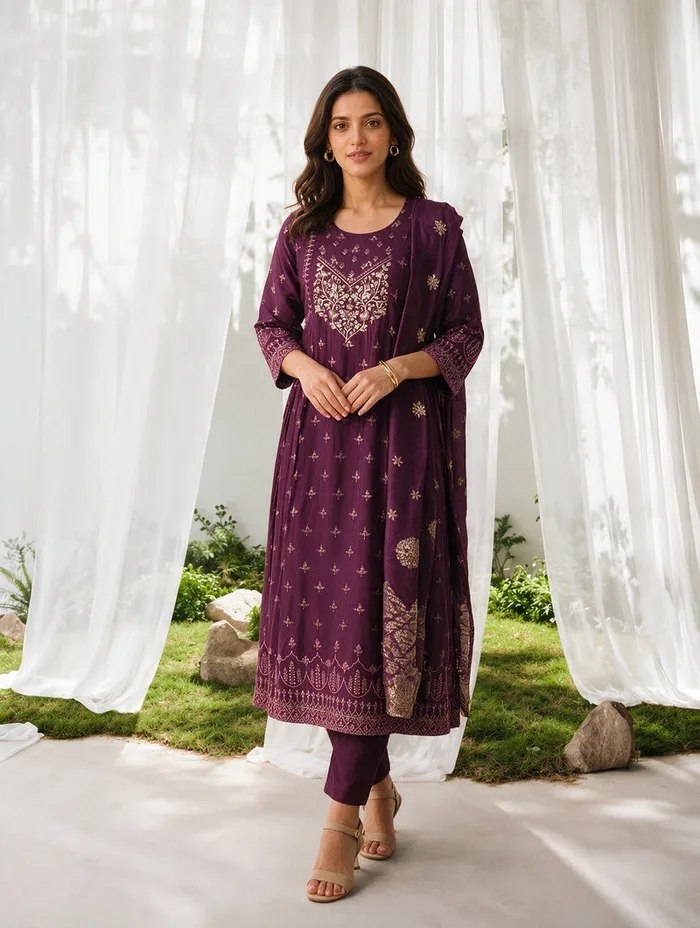
Every image matches
The same garment, fabric, design and model across front, back, side and close-up, and across the whole collection.

AI anarkali photoshoot
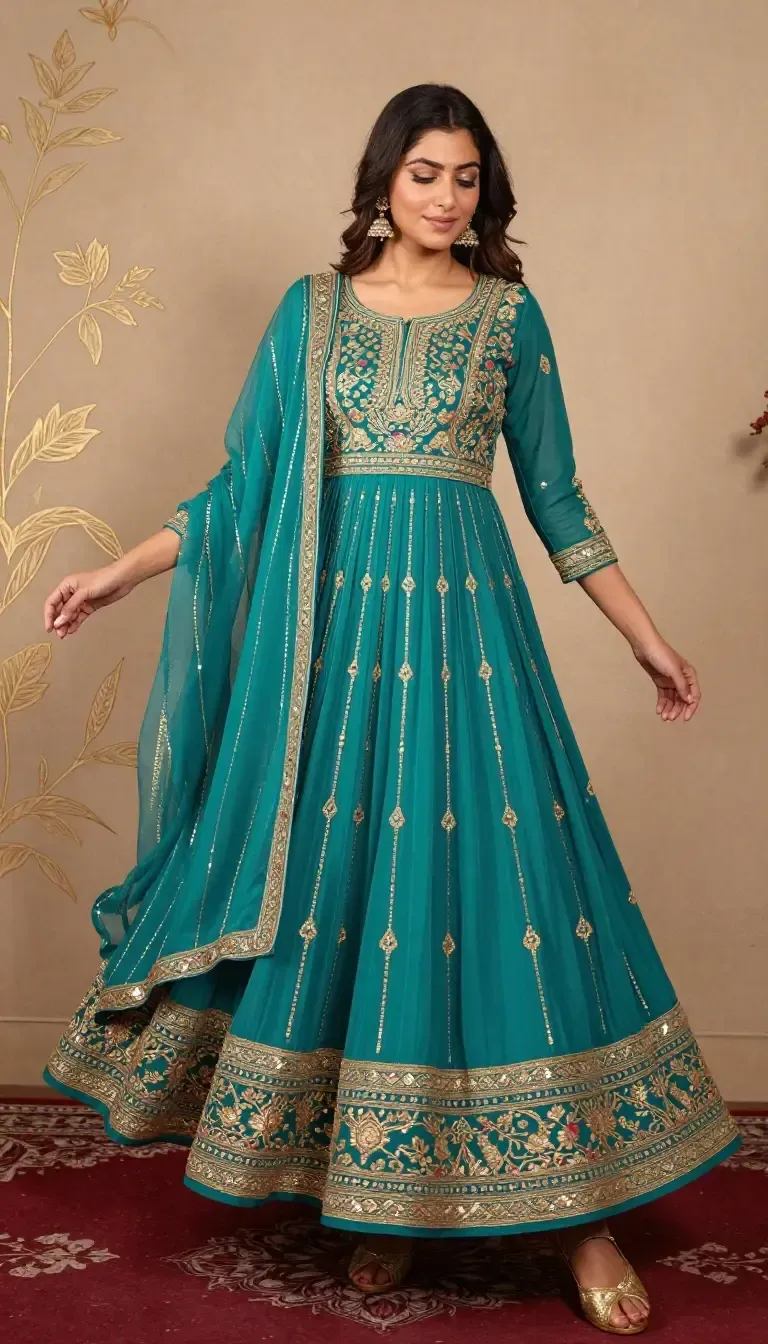
An anarkali is judged from across the room: the sweep of the ghera, the kali seams, the border round the hem. Fivo puts yours on a model from its catalogue from a photo of the garment and keeps the silhouette you cut. This teal anarkali, zari yoke to embroidered hem, was made by Fivo.
From about ₹20 an image · price shown before you generate · see pricing
 Fivo
An AI anarkali photoshoot puts your anarkali on a model from Fivo's catalogue, from a photo of the garment. The flare, the kali panels, the yoke and the hem border are read from that photo once, and every image and video is made from that reading, so the colour and the zari stay true in any setting you choose.
Why brands choose Fivo
Customise every shoot to your brand. Fivo keeps your garment, your models, your styling and your look the same in every image you put out.
The same garment, fabric, design and model across front, back, side and close-up, and across the whole collection.
Your photo is the reference: colour, print, embroidery and cut are carried into every image, not reinvented.
Choose the pose for each shot, from straight catalogue fronts to walking, seated and detail shots.
Pick models by the look and age group your customers relate to: women, men, kids, Indian or international.
Choose each styling article per garment: footwear, jewellery, bags, watches, belts, and the top or bottom it's paired with. Or upload your own.
What an anarkali buyer looks for
The panels below the bodice make the skirt flare, and many carry a sequin or zari line down each seam. Photograph the ghera spread to its natural width; Fivo works from that fullness.
Zari, resham or gota on the yoke is usually the densest work on the piece. Add a close-up, so the motifs on the model are drawn from the motifs on your garment.
A heavy border weights the hem and gives the swing. Keep the whole hem in frame: floor-length pieces get cropped at the ankle more than any other garment.
Teal, bottle green and rani pink are the shades buyers return when they look off. Your photo is the reference, and a colour-match step runs on every frame of the anarkali.
Net, organza and chiffon dupattas sit over the anarkali when you photograph them with it. Spread the dupatta so its border is visible along one edge.
Choose each pose from Fivo's library: a straight front for the listing, a walking frame for the ghera, a seated one. Pick models in the age group and look of your festive customers.
More festive flare, made by Fivo
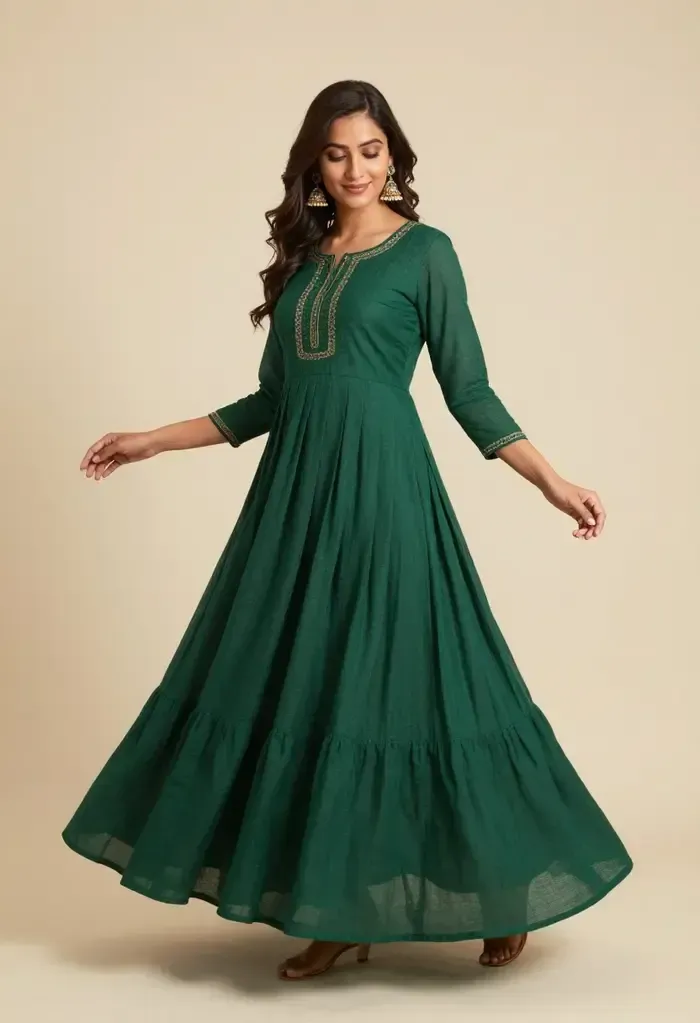
A floor-length handloom anarkali with a zari yoke and a tiered flare, shot as the skirt swings out. This is a Fivo result shown on its own, without the brand's photo.
 Fivo
From photo to listing
Dress a mannequin or hang it where the skirt can fall open. Flat works too, if the kalis are fanned out to their full spread.
A close-up of the bodice work and one of the hem band, plus a back photo if the back has its own detail.
A model from Fivo's catalogue, a pose, a studio or lifestyle background, and the jewellery and footwear styled to your brand, from Fivo's styling catalogue or your own. Set it once in Studio for a festive range.
The price with GST comes first. Then compare each image with the anarkali, the hem border above all, and keep the ones that match.
Flared ethnic wear, live
Embroidered flared calf-length kurtas sold with pant and dupatta. They are not anarkalis, but they ask the same of a shoot: the flare and the embroidery have to come through.
Video from the same photo
Festive shoppers often meet an anarkali in a Reel before they open the listing. Fivo makes on-model videos from the same garment photo as the stills, in the same look, so the launch post and the product page show one piece.
Studio day or Fivo
| Studio shoot | Fivo | |
|---|---|---|
| Getting the flare | Fans, pinning and retakes on set | Taken from your photo of the spread ghera |
| Floor-length hems | Settled by hand between frames | Kept in frame from your photo |
| Dupatta | Pinned by a stylist | Shot with the anarkali when photographed together |
| A video | Another crew booking | Made from the same anarkali photo |
| Ready to list | Booking, shoot day, retouching | Minutes per piece in the app; usually within 24 hours in Studio |
| Cost | Model, studio and crew by the day | About ₹20 an image, total shown first |
Questions
What festive labels ask before they put their first anarkali on a Fivo model.
Fivo keeps the fit and drape from your photos, so the fullness you photograph is the fullness it works from. Dress the anarkali on a mannequin with the ghera opened to its natural width, then compare each image with the garment before downloading.
Yes, when the whole hem is in your photo. Step back until the border is fully in frame and add a close-up of it. Every view comes from the same reading, so the daaman matches from front to back.
Both anarkalis here were made by Fivo, and we don't have the brands' original photos to show beside them. For before-and-after pairs, the salwar suit and co-ord pages show the brand's mannequin photo next to the result.
Yes. The Fivo Android app and Fivo Studio both make on-model videos from the same garment photo as the images, in the same look, for product pages, Instagram Reels and ads.
Yes. You choose the model from Fivo's catalogue, the pose, the styling and the background. In Fivo Studio you set them once and every anarkali in the range is shot in that look, so a festive drop stays on-brand rather than taking on a generic AI look.
Fivo treats your photo as the reference and runs a colour-match step, so a teal anarkali is not handed back in turquoise. Zari and sequins photograph brighter under flash, so shoot in soft daylight and check each image against the piece.
Yes. Photograph the dupatta and any churidar or pant sold with it alongside the anarkali, and the set is shot as one outfit. Spread the dupatta so its border shows.
About ₹20 per image, pay as you go, with free uploads and no subscription. You see the full price with GST before generating, and credits for an image that fails are released. See Fivo pricing.
YOUR FESTIVE ANARKALIS
 Fivo for AndroidShoot one garment at a time on your phone. Images and videos in your brand's look.

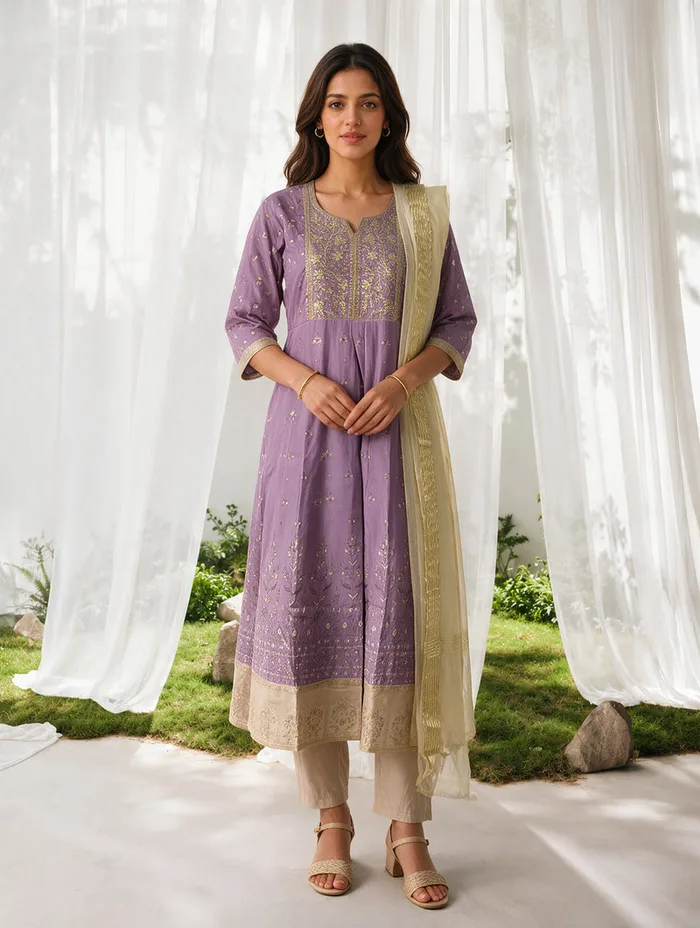
 Rangita Viscose embroidered flared kurta with pant and dupatta